
How can we help?
Every answer is a short video of the real app. Pick your language — English, हिन्दी, العربية, தமிழ் or മലയാളം — and the voice and subtitles change with it.
40 answers
 1:01
1:01Getting started
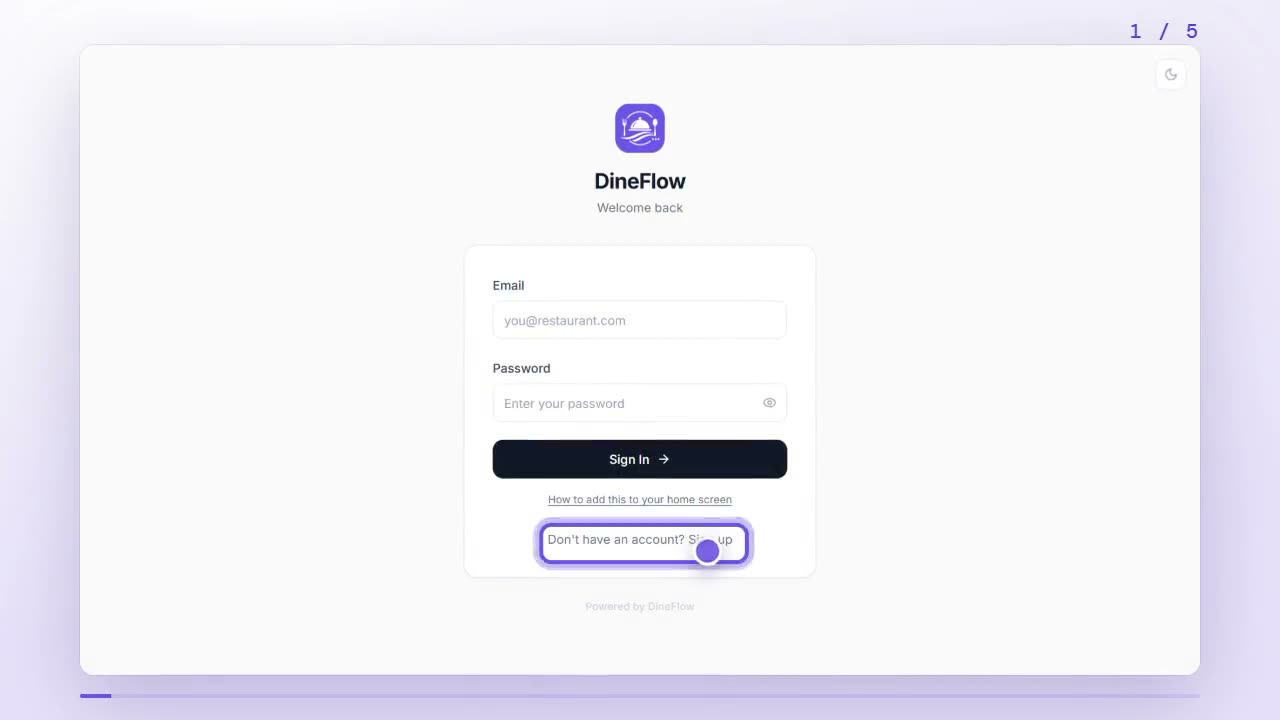
How do I sign up and set up my restaurant in DineFlow?
Tap Sign up on the DineFlow login page and create your account, then add your logo, brand color, restaurant details and region. You can change any of it later in Settings.
 0:59
0:59Getting started
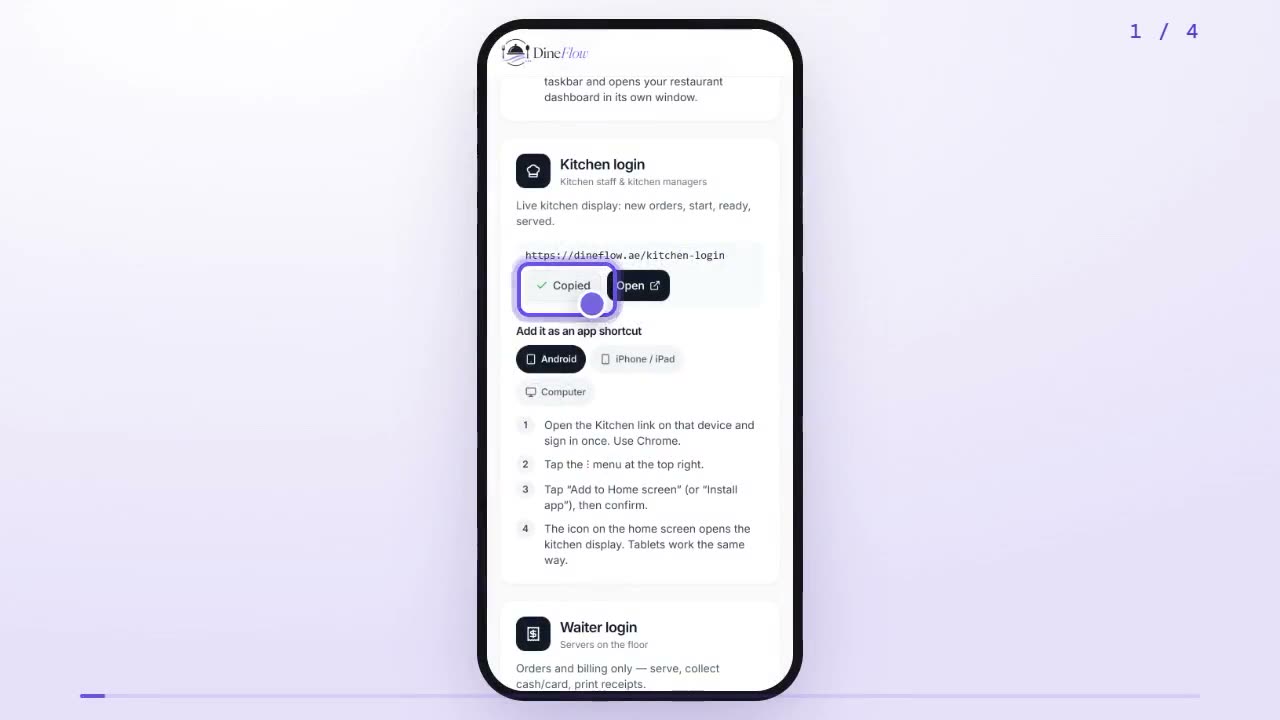
How do I sign in as staff and add DineFlow to my phone?
Copy your role's link from the DineFlow Team page, add it to your home screen, and sign in with the username and password your manager gave you.
 0:54
0:54Getting started
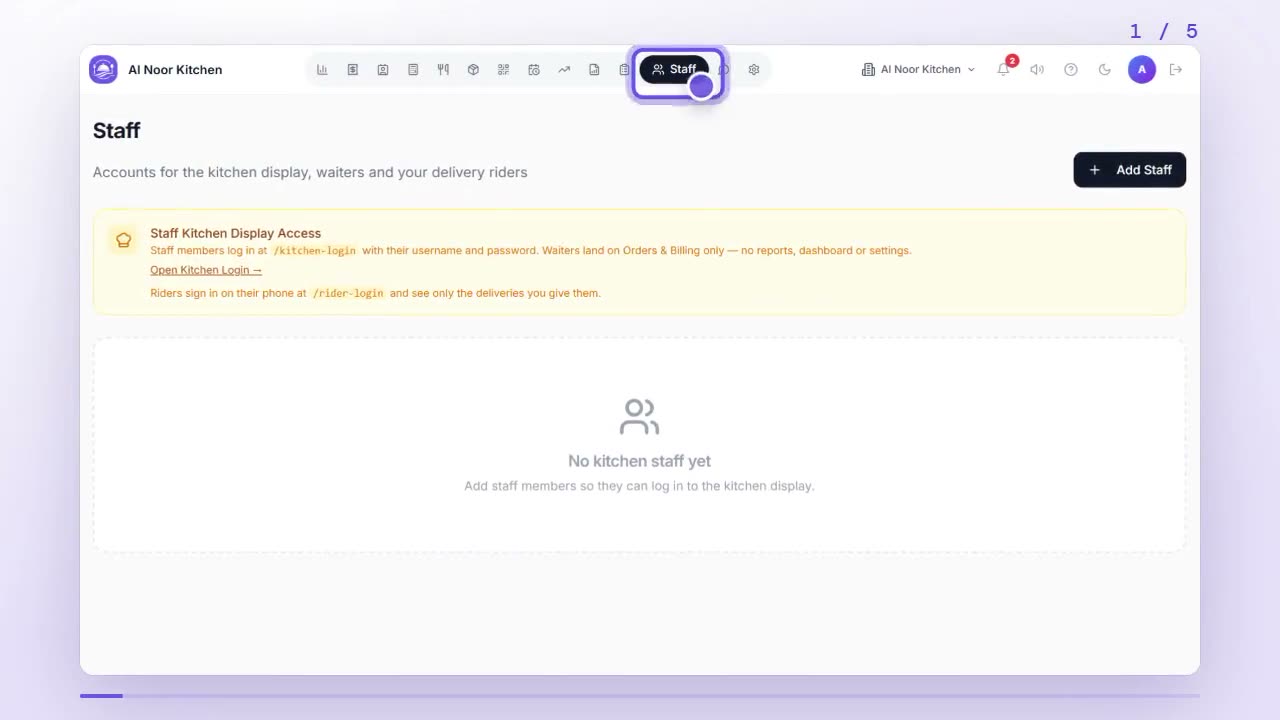
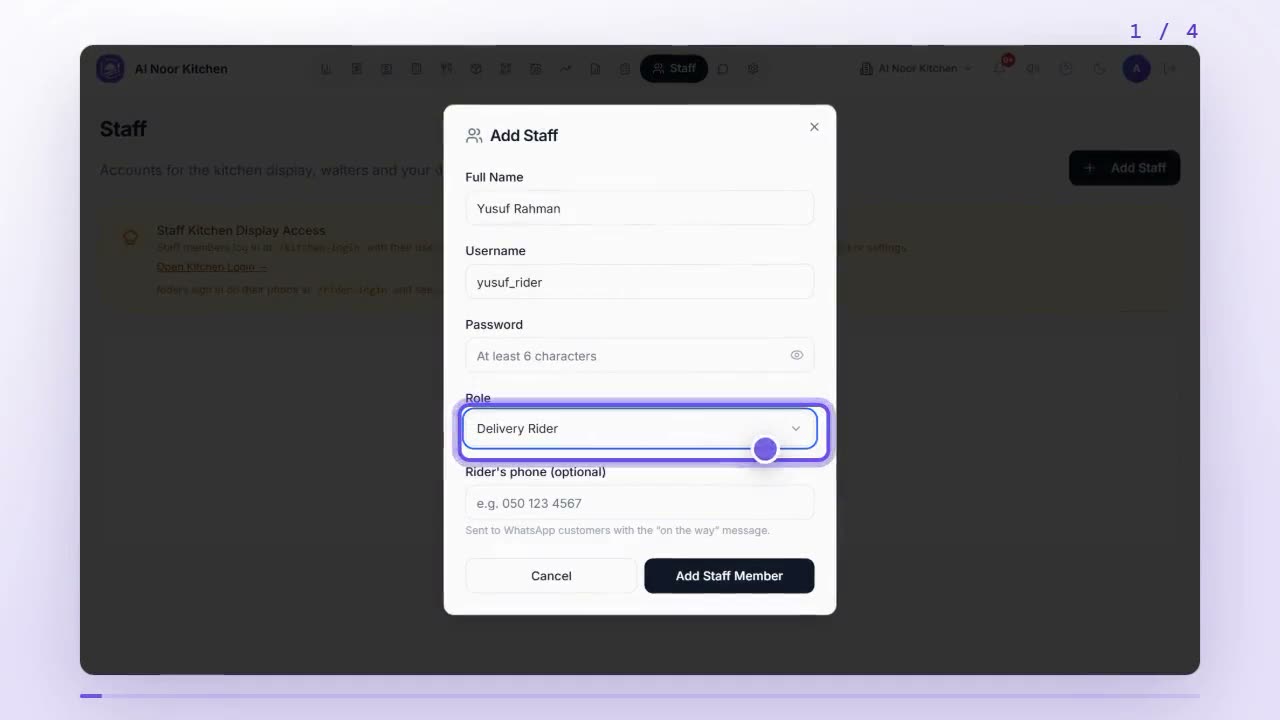
How do I add staff accounts for my kitchen, waiters and riders?
Open Staff, tap Add Staff, enter their name, a username and a password, choose their role, and tap Add Staff Member. They then sign in on the staff login page.
 0:52
0:52Getting started
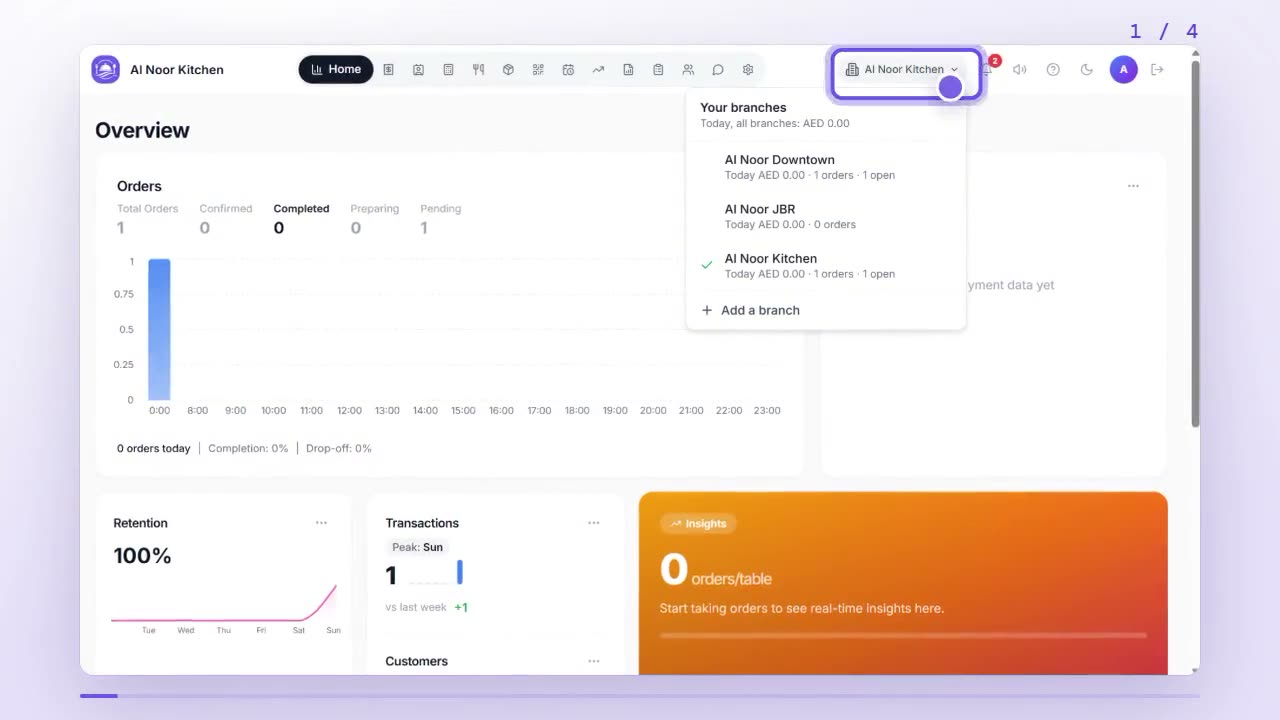
How do I add a new branch and switch between branches?
Tap the branch button at the top of your dashboard to see every branch and switch between them. To open one, tap Add a branch, name it, and tap Add branch.
 0:44
0:44Menu
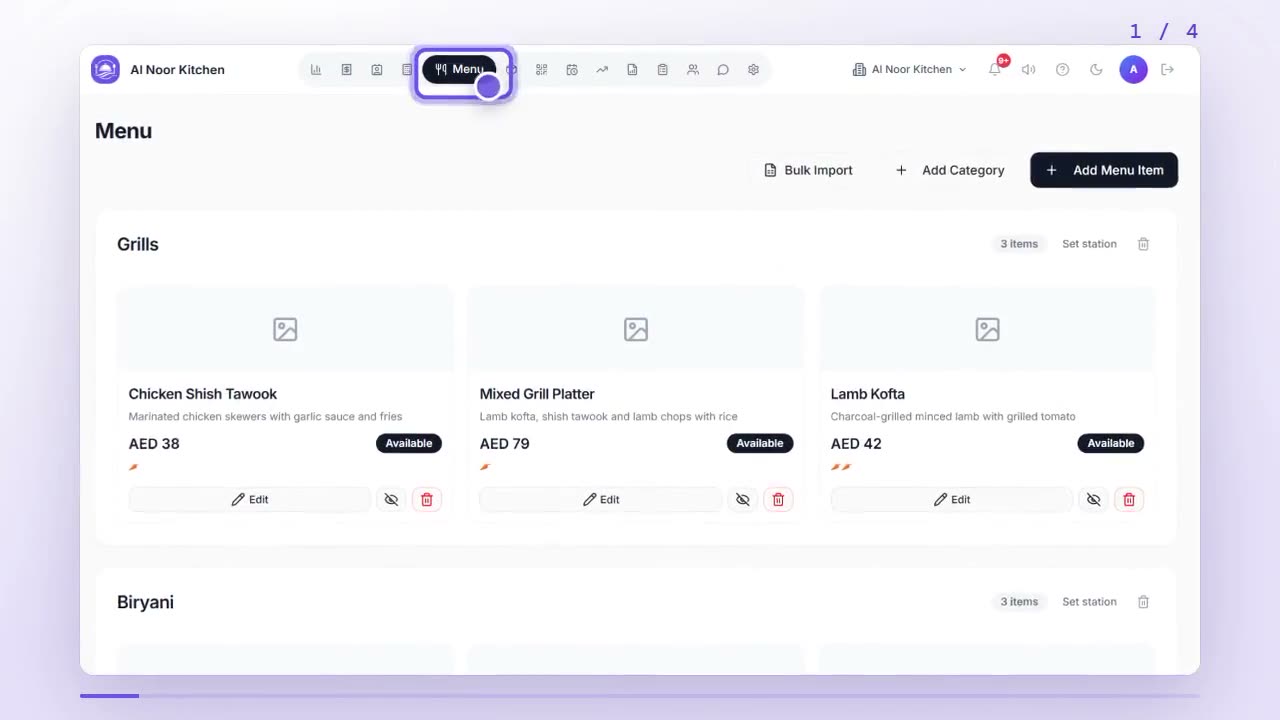
How do I add menu categories and dishes?
In Menu, tap Add Category to make a section like Grills, then tap Add Menu Item, add a photo, name, price and category, and tap Add to Menu.
 0:59
0:59Menu
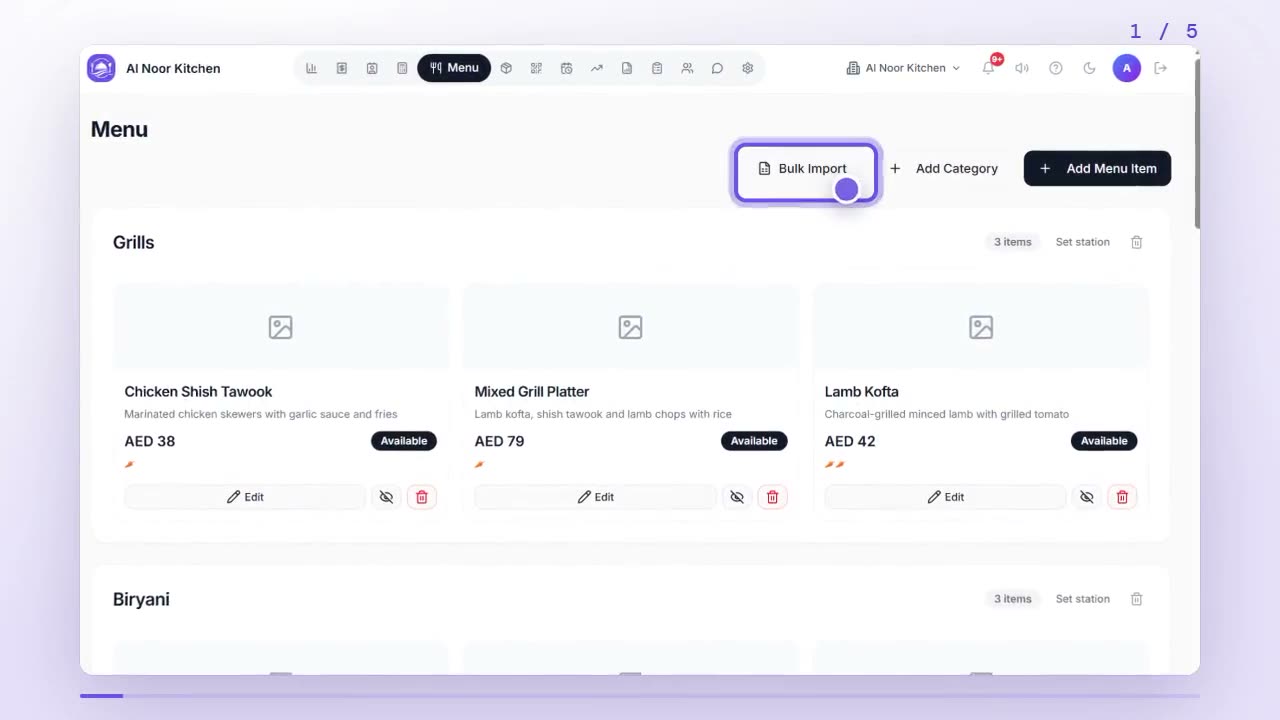
How do I import my whole menu from a spreadsheet?
In Menu, tap Bulk Import, download the CSV template and fill it in, then upload it or paste the rows. Check the preview and tap Import to add every dish at once.
 0:58
0:58Menu
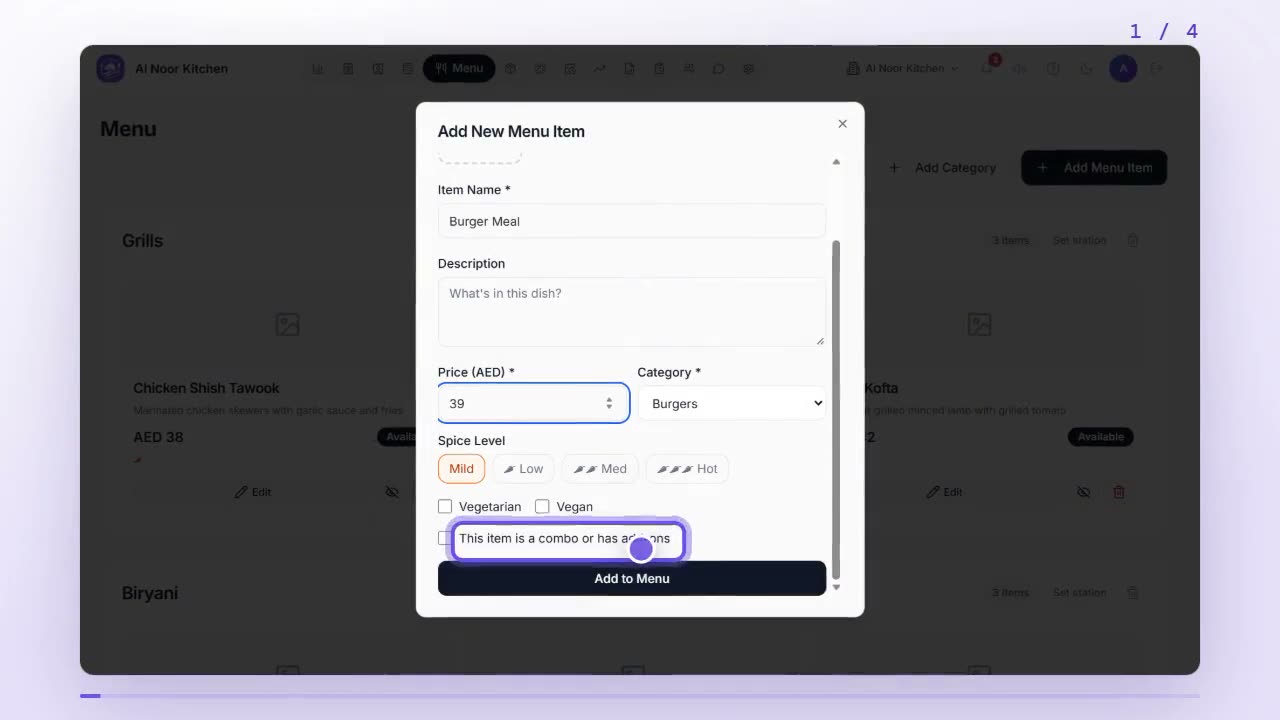
How do I create a combo or meal deal?
Add a menu item with the deal price, tick This item is a combo or has add-ons, choose the combo type, add the dishes it includes, and tap Add to Menu.
 0:48
0:48Menu
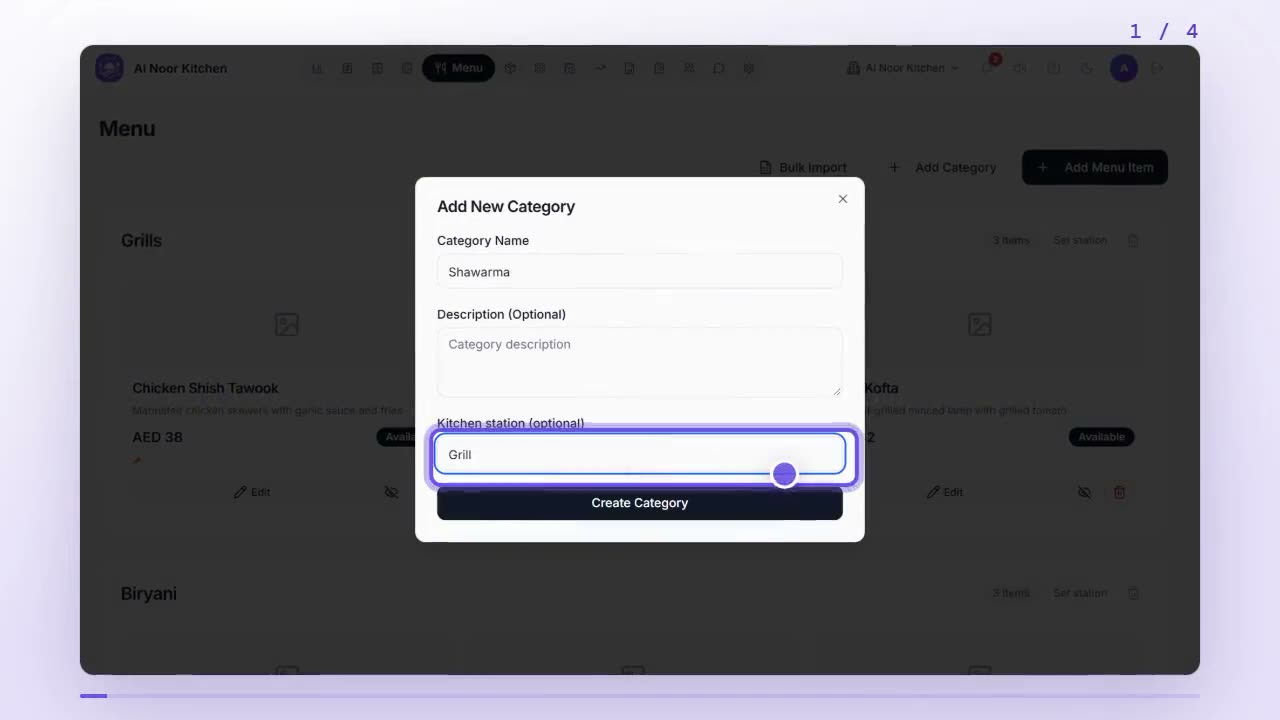
How do I send each menu category to the right kitchen station?
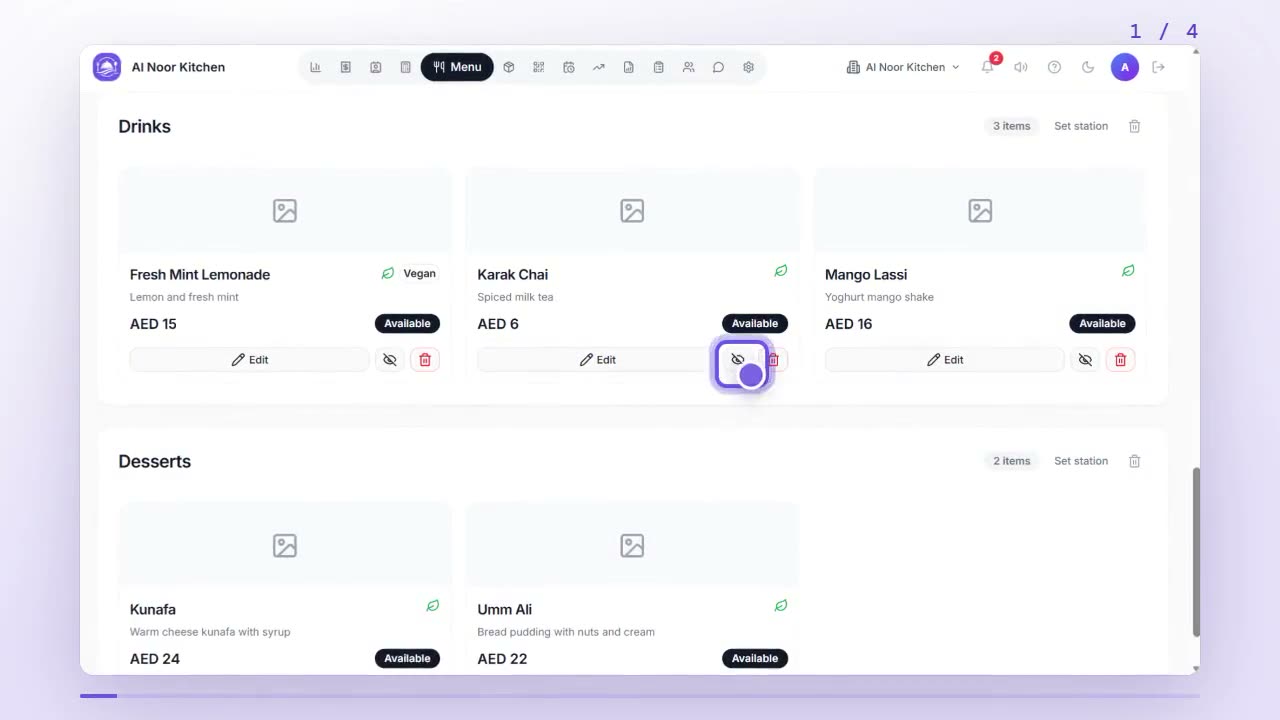
Type a kitchen station like Grill or Drinks when you add a category, or tap Set station next to one. Its dishes go to that station; empty means the main kitchen.
 0:49
0:49Menu
How do I mark a dish as sold out?
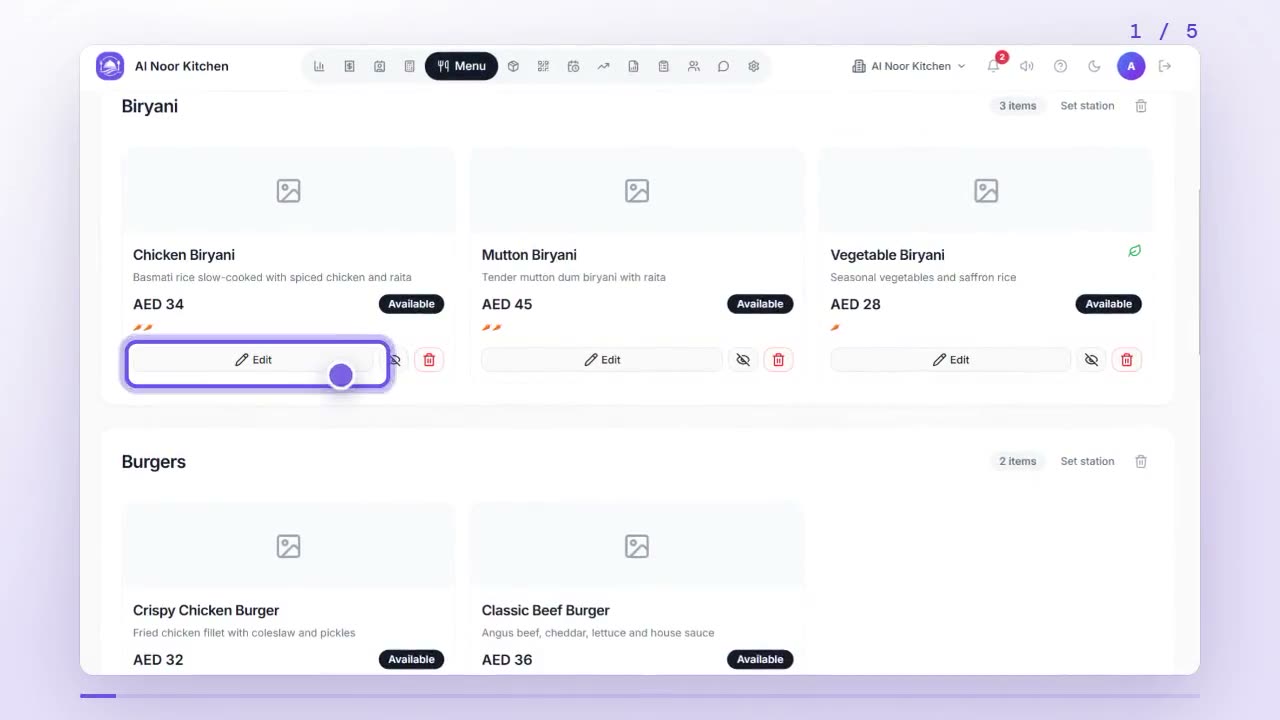
In Menu, tap the eye button on a dish to mark it unavailable, and tap it again when it's back. Inventory can also hide dishes automatically when an ingredient runs out.
 0:50
0:50Menu
How do I change a dish's price or photo, or hide it?
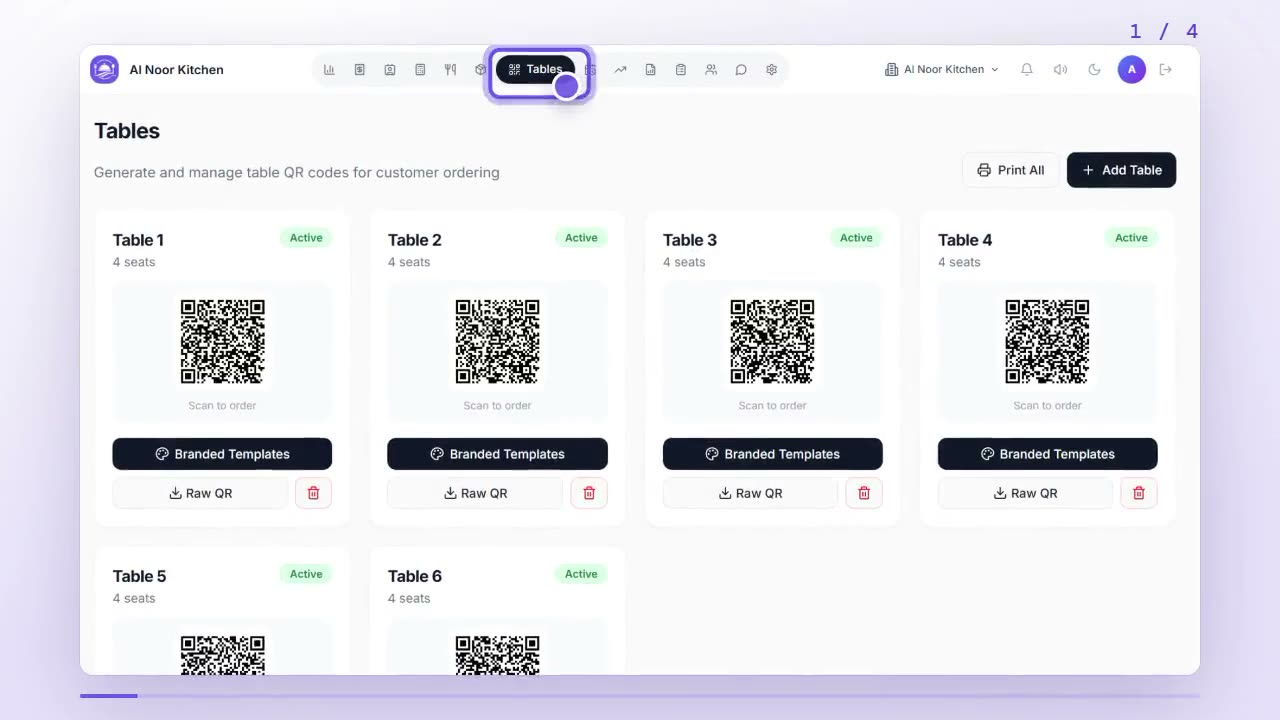
In Menu, tap Edit on the dish, change its price, photo or details, and tap Save Changes. To hide it for now without deleting it, tap the eye button.
 0:47
0:47Tables & QR
How do I create and print QR codes for my tables?
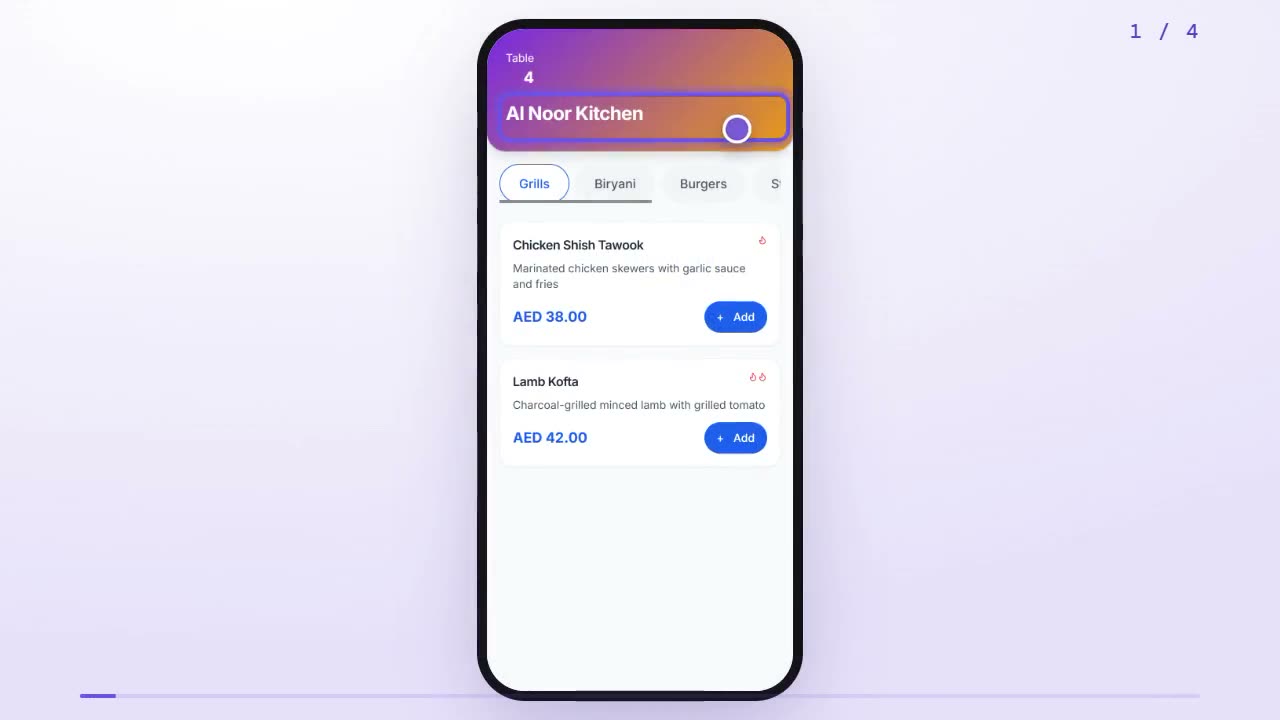
Open Tables, add a table with its number and seats, and DineFlow makes its QR code. Use Branded Templates to download or print it, or Print All for every table at once.
 0:46
0:46Tables & QR
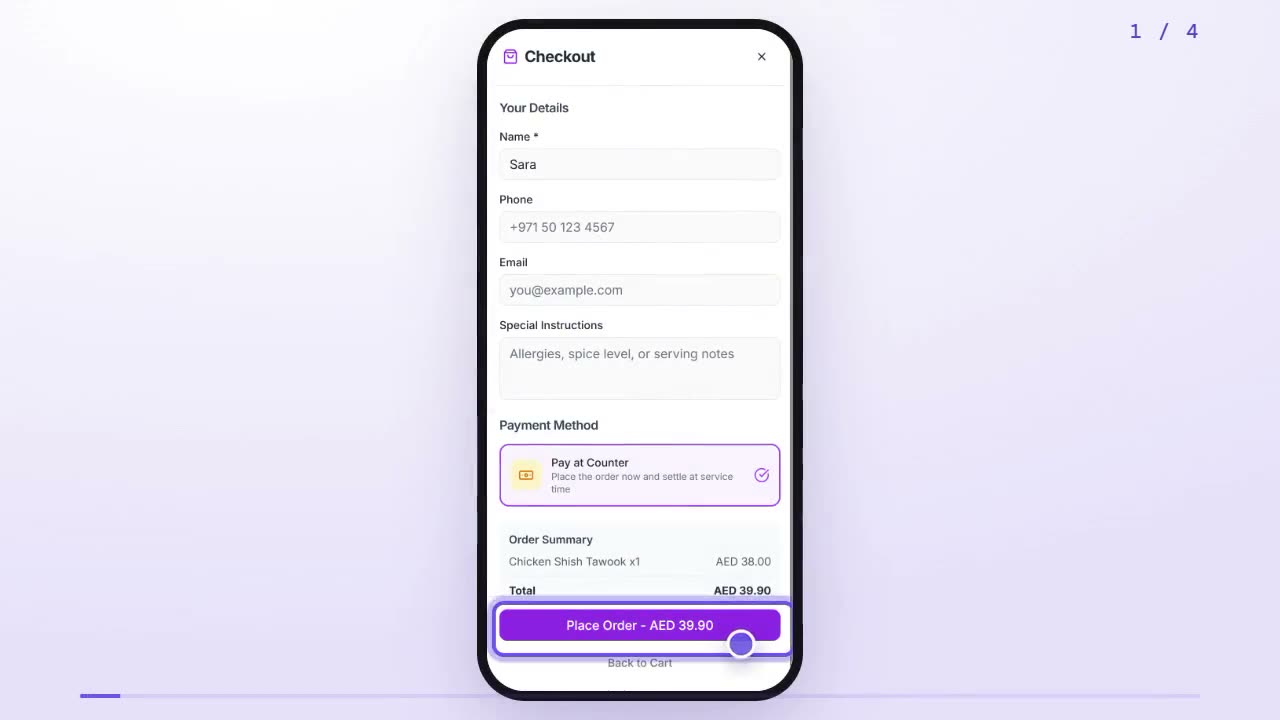
How do I order from the QR menu at my table?
Scan the QR code on your table, tap Add on the dishes you want, open the cart, add your name and payment choice, and tap Place Order. You can then track your order live.
 0:48
0:48Tables & QR
How do I share a link so customers can order takeaway online?
Open Settings, go to Ordering & delivery, and tap Copy next to Takeaway menu link. Share it on Instagram, Google or WhatsApp; customers order and collect.
 0:58
0:58Tables & QR
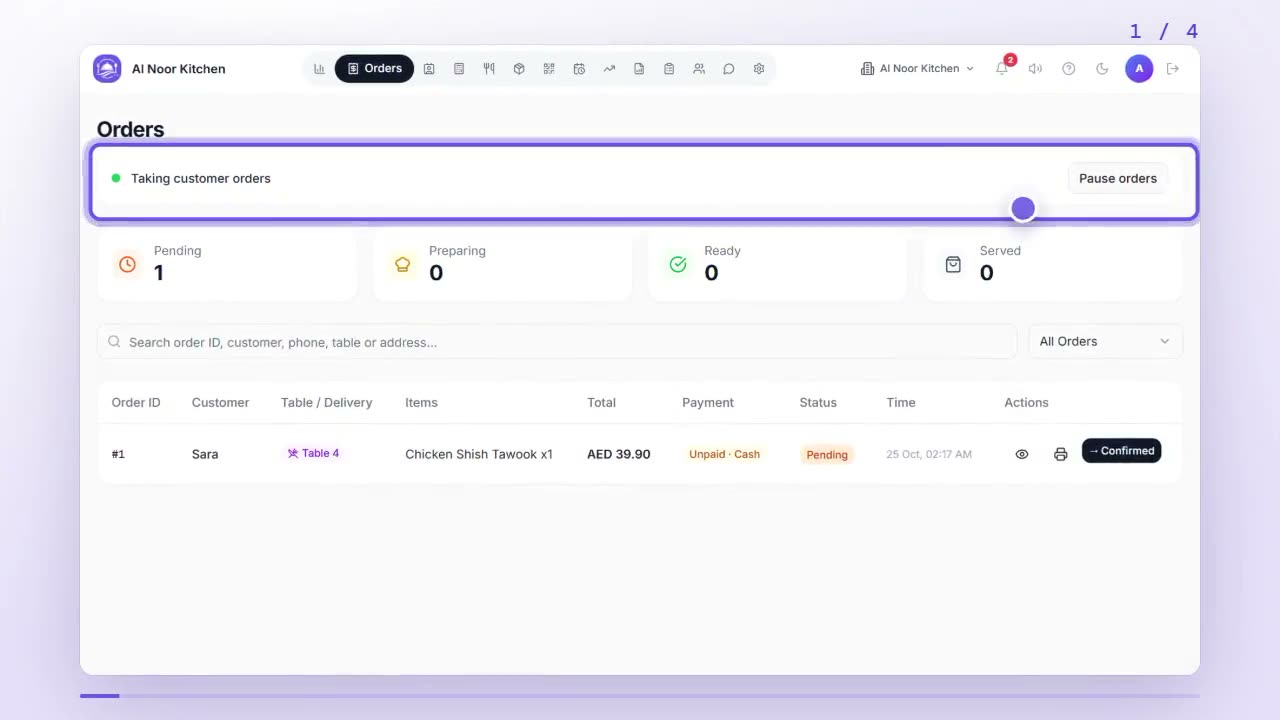
How do I pause online orders when we're too busy?
On the Orders tab, tap Pause orders to stop new QR, takeaway and WhatsApp orders. Staff can still use the till. Tap Resume orders to take them again.
 0:59
0:59Tables & QR
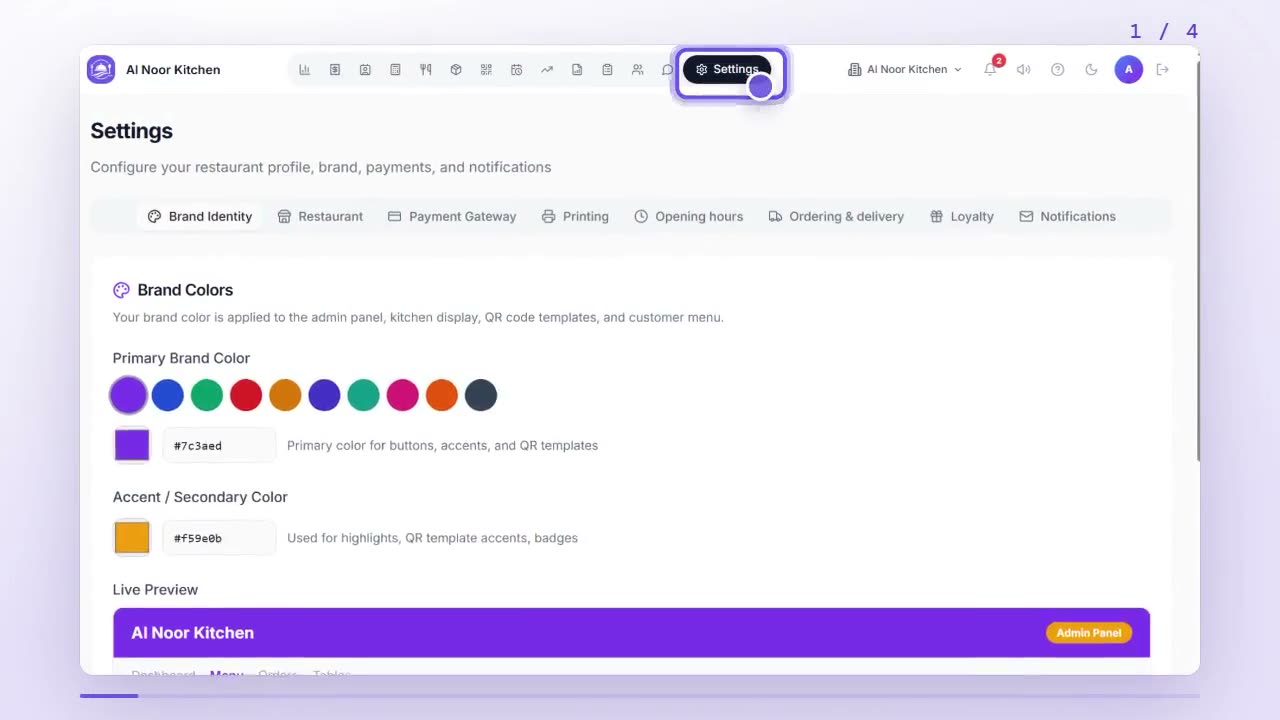
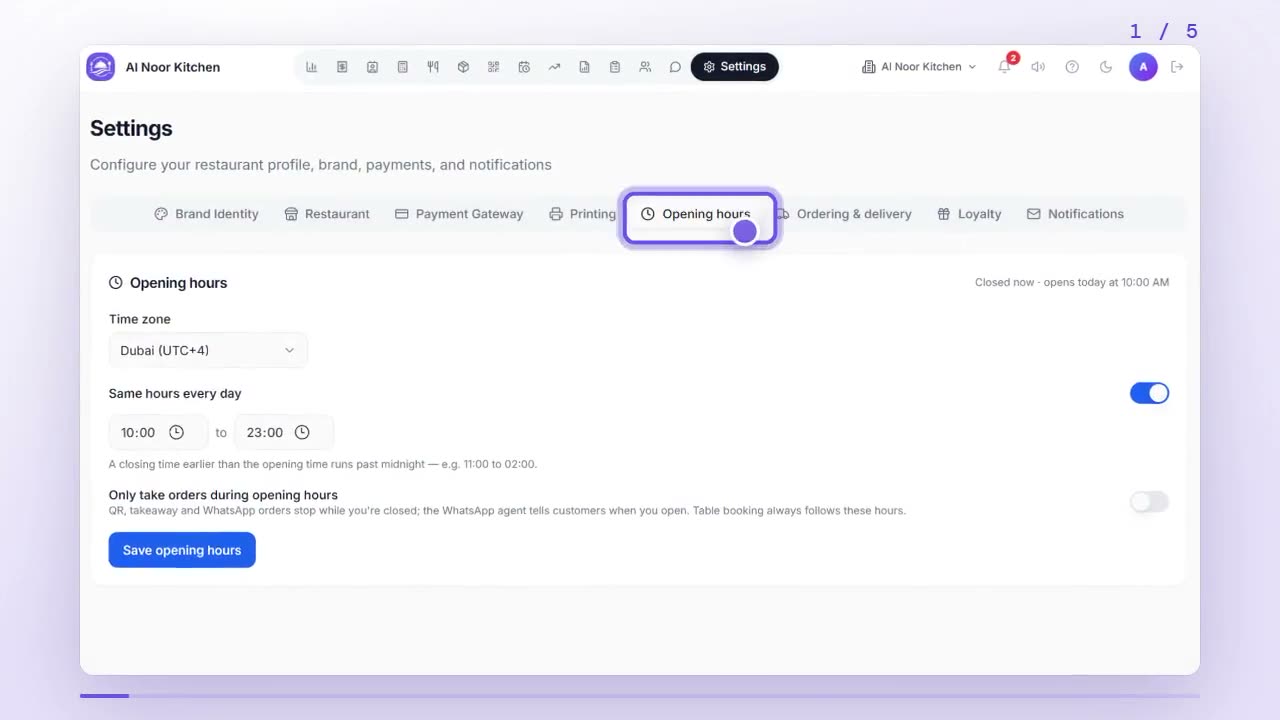
How do I set my opening hours and time zone?
In Settings, open Opening hours, choose your time zone, set the same hours every day or each day's hours, and tap Save opening hours. You can also stop orders while closed.
 0:43
0:43Tables & QR
How do I track my order after placing it?
After you tap Place Order, tap Track your order live. The page shows each step, from Received to Preparing to Ready, and updates by itself.
 1:06
1:06Orders & billing
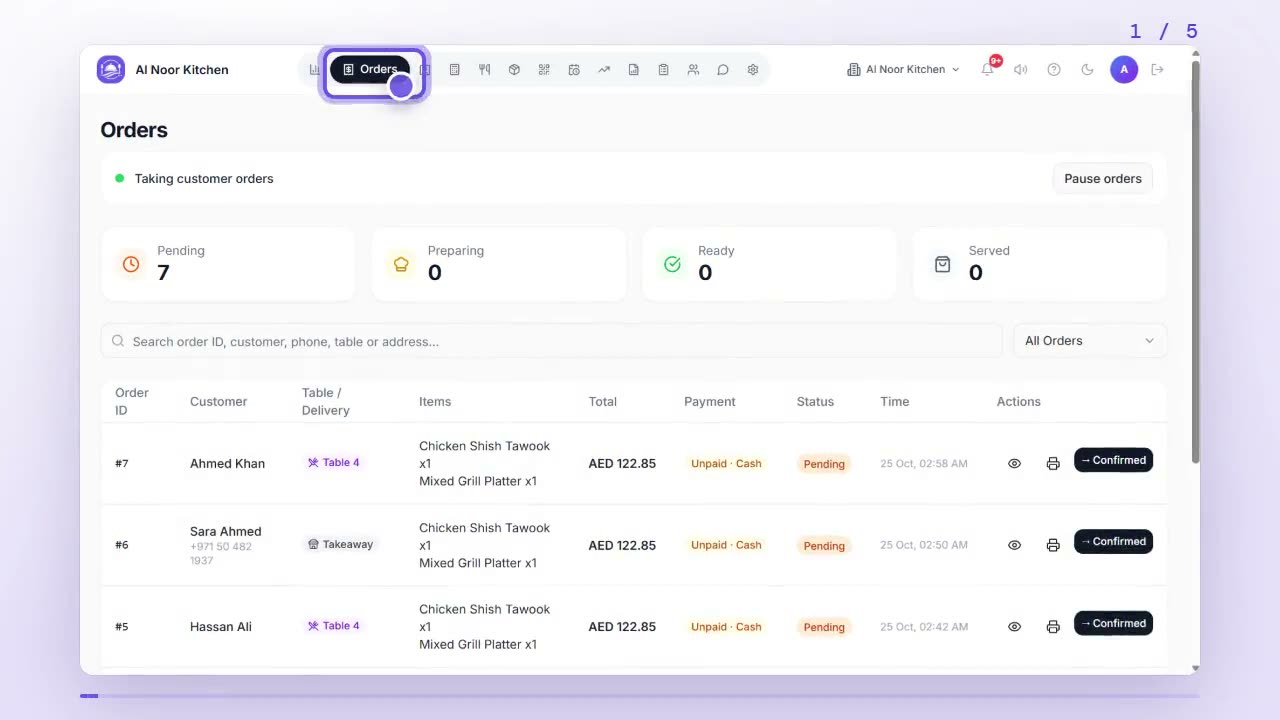
How do I see and accept new orders?
Open Orders to see every new order as it arrives. Tap the eye icon to open one, then double-tap Move to Confirmed to accept it and move it along.
 0:53
0:53Orders & billing
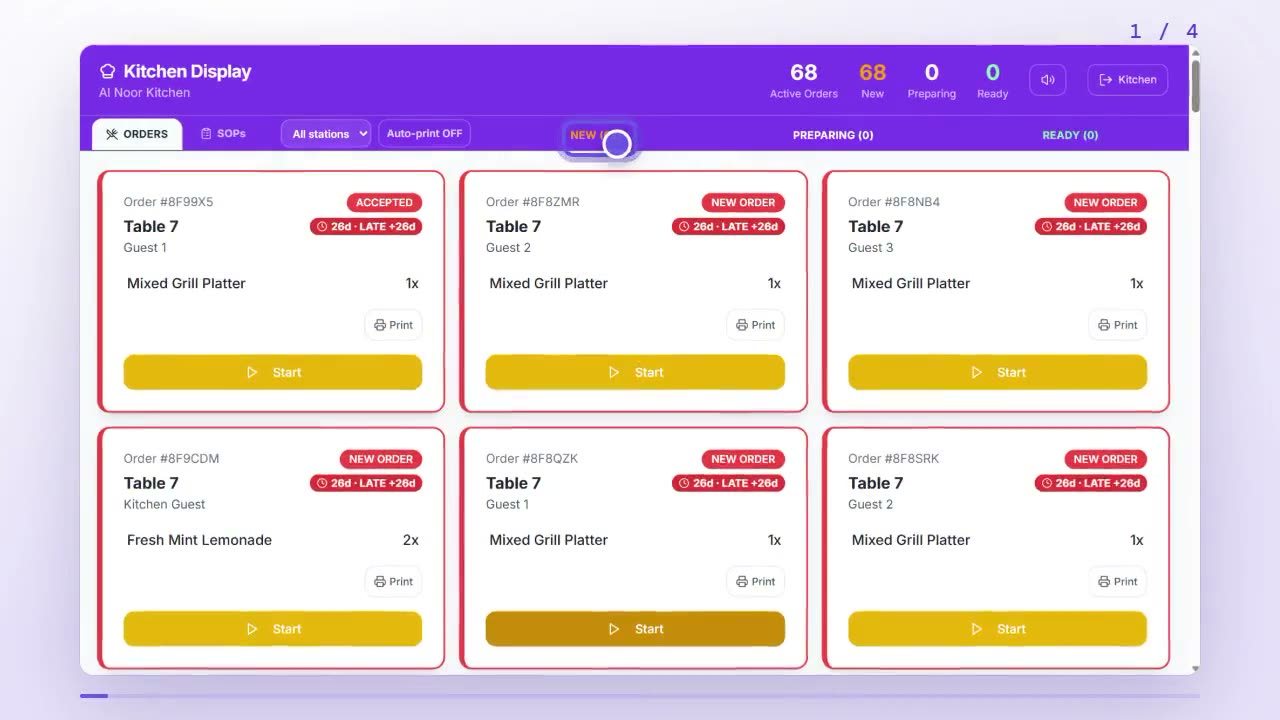
How does the kitchen see and update orders?
Sign in at the kitchen login to open the Kitchen Display. Orders arrive in the New lane; tap a dish to tick it off, and double-tap Start, then Ready, as you cook.
 1:04
1:04Orders & billing
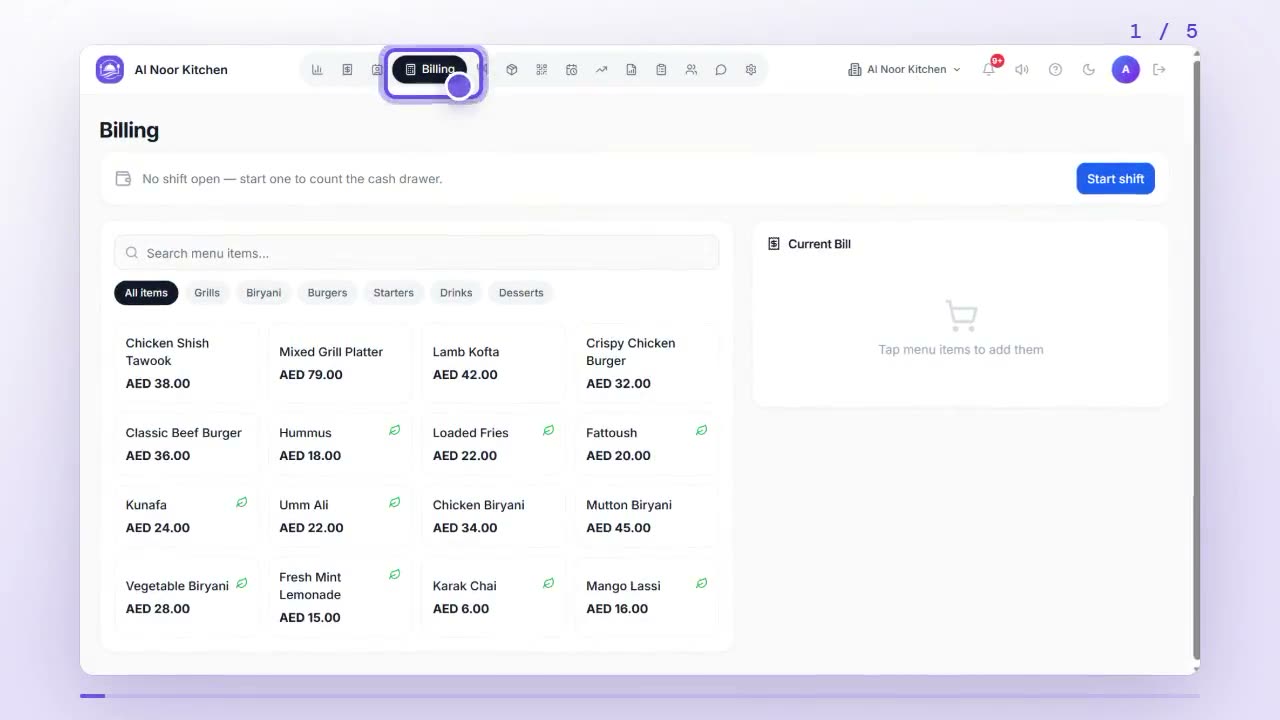
How do I take a counter, takeaway or phone order?
Open Billing, tap dishes to add them, choose Counter, Takeaway or Phone delivery, pick Cash or Card, and tap Save & Print to save the bill and print the receipt.
 0:57
0:57Orders & billing
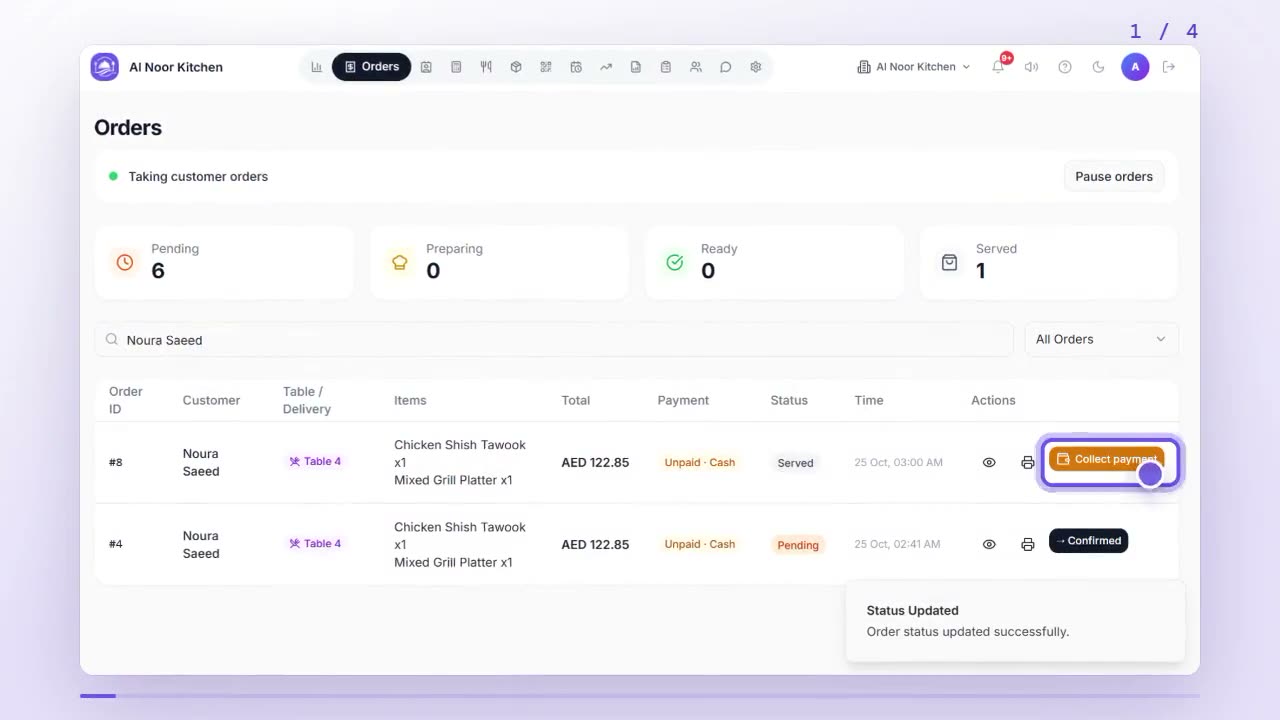
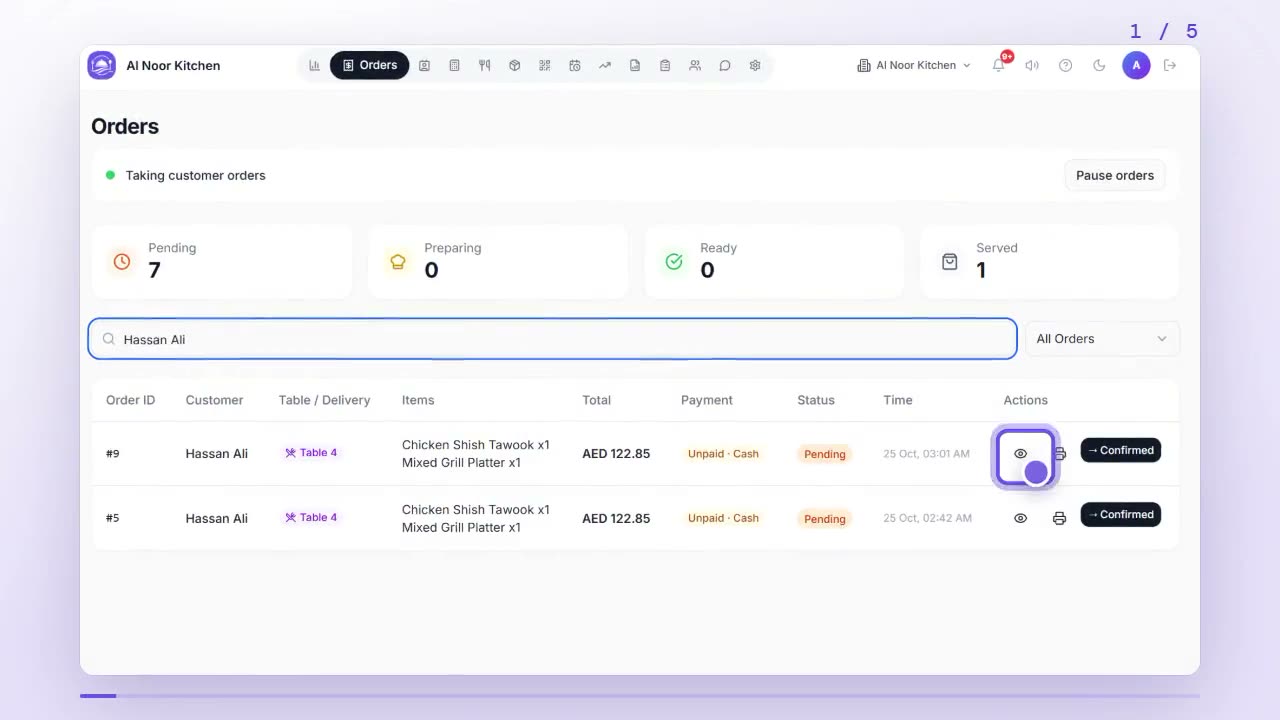
How do I collect payment, split a bill or add a tip?
On a served order in Orders, tap Collect payment and choose Cash or Card. To split it or add a tip, tap Split the bill or add a tip, enter the amounts and tap Record split.
 0:54
0:54Orders & billing
How do I cancel or refund an order?
Open the order in Orders. Tap Cancel order if it hasn't been served yet, or Refund if it was already paid, and type the reason. Both show in your reports.
 0:58
0:58Orders & billing
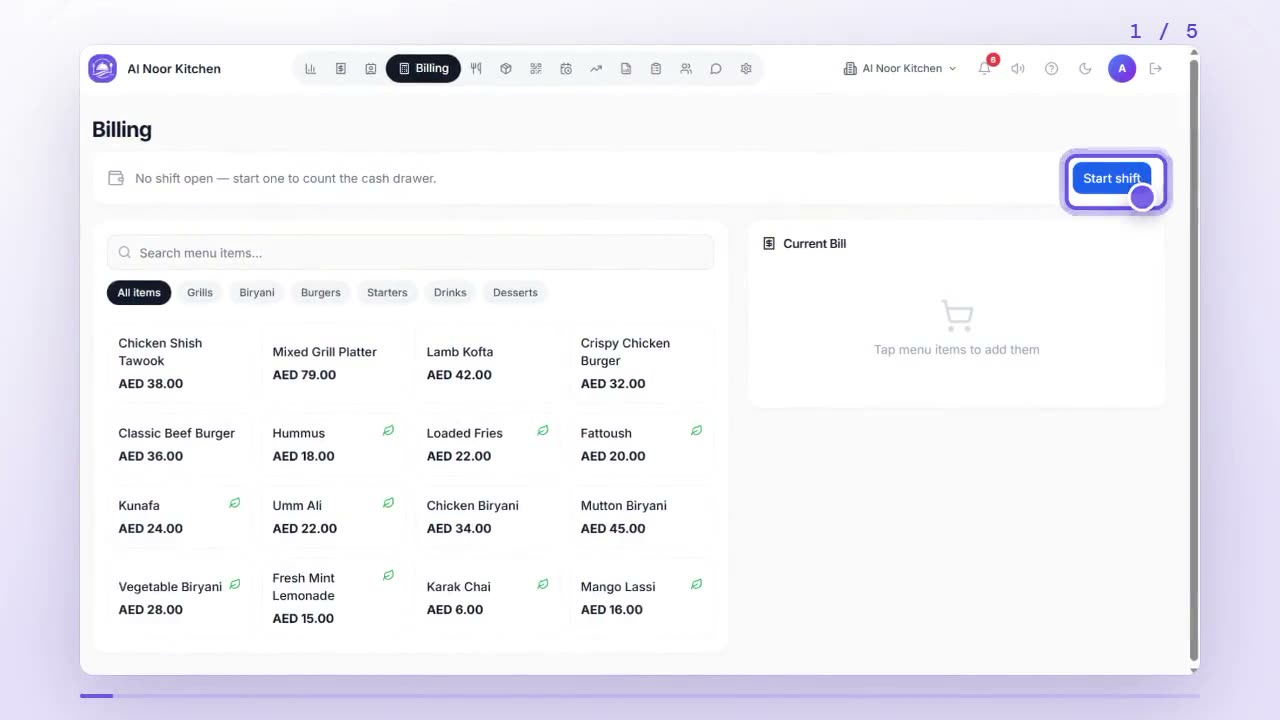
How do I open and close a cash shift?
In Billing, tap Start shift and enter the opening float. At closing, tap Close shift and type the cash you counted; DineFlow shows at once if the drawer is over or short.
 1:02
1:02Orders & billing
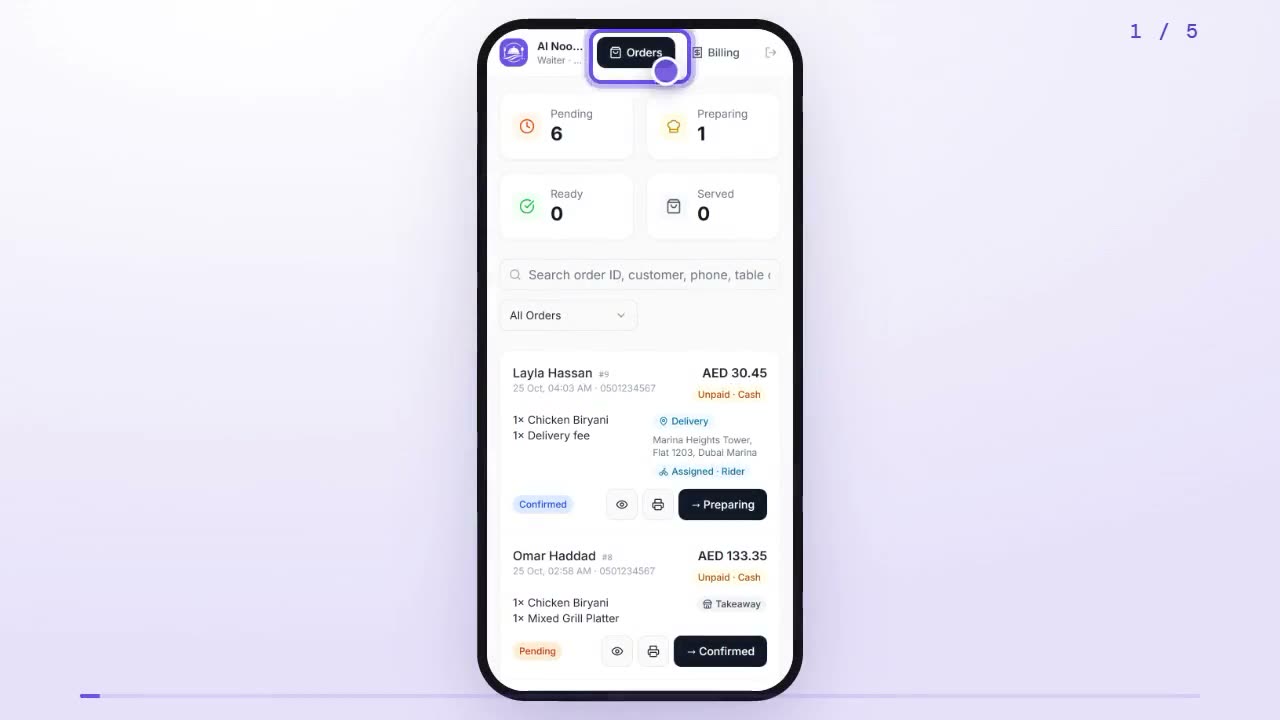
How do I take orders on my phone as a waiter?
Sign in with your staff login to open the waiter screen. Orders shows recent orders to move along; Billing lets you add dishes, choose the order type and save the bill.
 0:56
0:56Delivery & riders
How do I give a delivery order to a rider?
Add your rider once in Staff with the Delivery Rider role. Then open a delivery order in Orders and pick the rider in the Rider box; it appears on their phone.
 0:55
0:55Delivery & riders
How do I see and complete my deliveries as a rider?
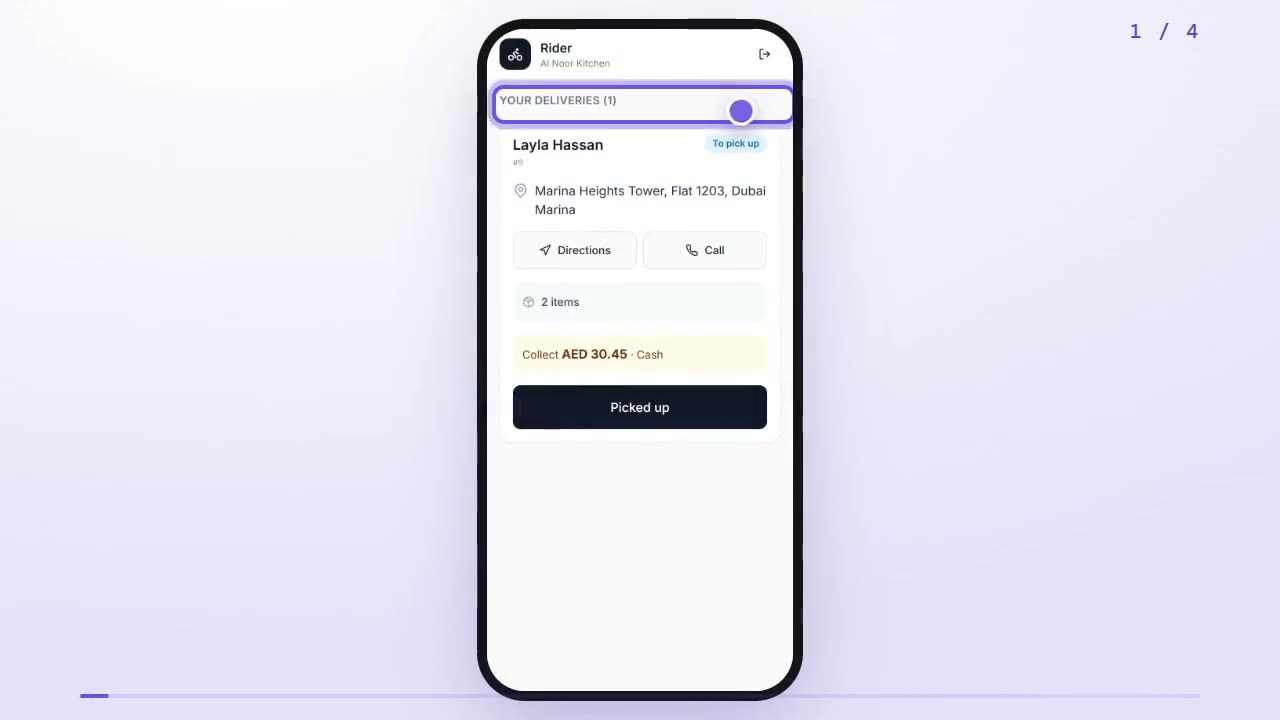
Sign in at the rider login on your phone. Your deliveries lists each order with Directions and Call; double-tap Picked up when you collect it and Delivered at the door.
 0:46
0:46Delivery & riders
How do I collect the cash my riders bring back?
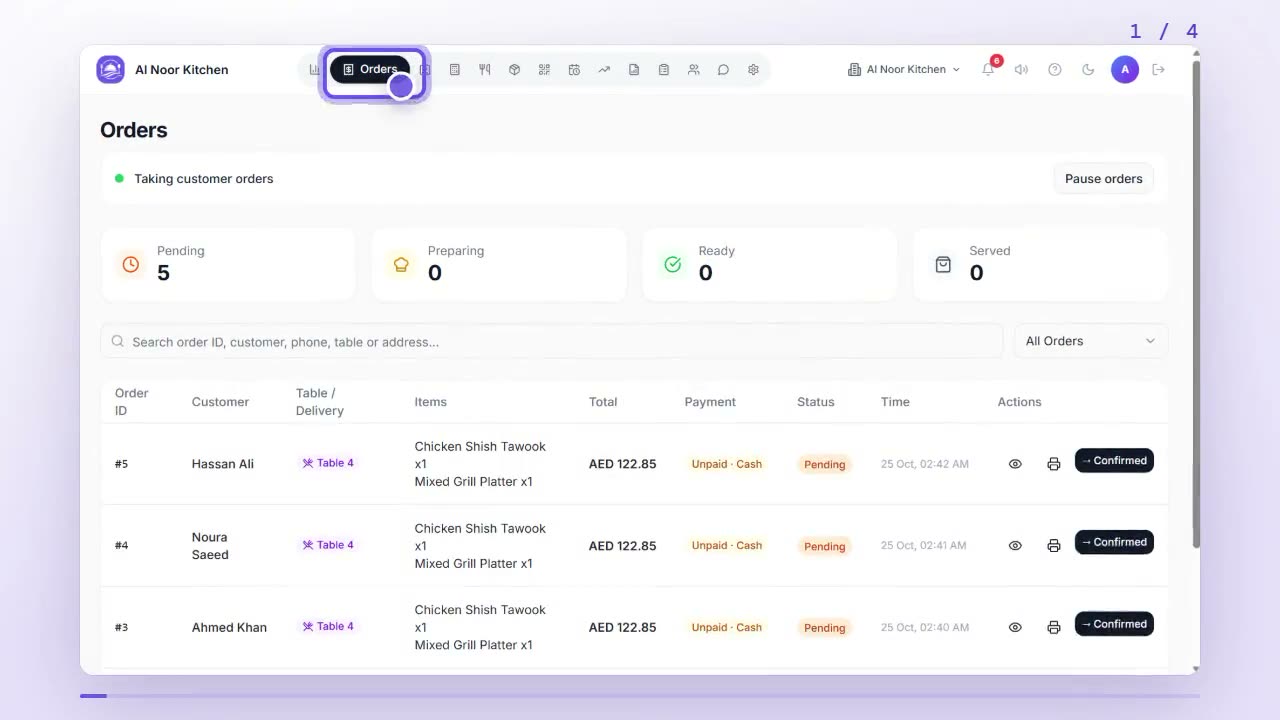
Cash riders take on delivery shows at the top of Orders under Cash riders still hold. When a rider hands it in, tap Received and it goes into the open shift's cash drawer.
 0:55
0:55Delivery & riders
How do I set my delivery fee, minimum order and delivery radius?
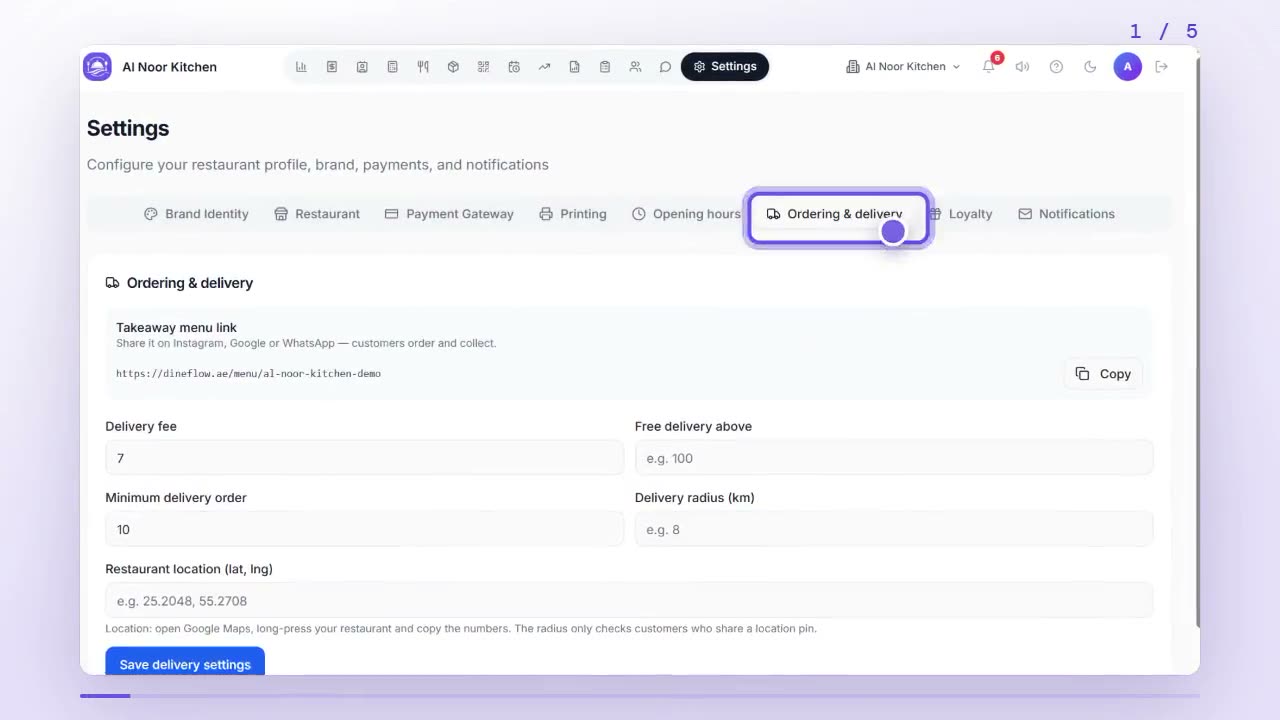
Go to Settings, then Ordering & delivery. Enter the delivery fee, free delivery threshold, minimum order, radius and your location, then tap Save delivery settings.
 1:10
1:10Reservations
How do I manage reservations and the waitlist?
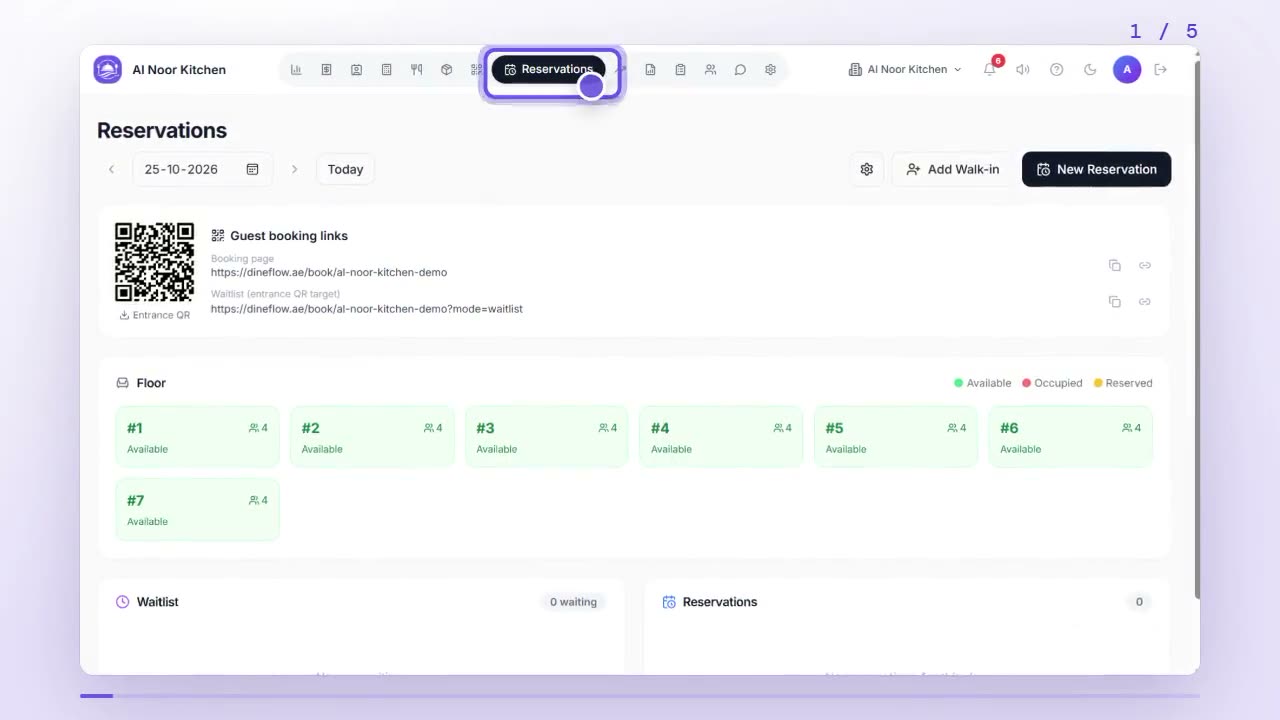
Open Reservations. Tap New Reservation to book a table, Add Walk-in to put a guest on the waitlist, and Seat to give them a free table when it's ready.
 0:58
0:58Reservations
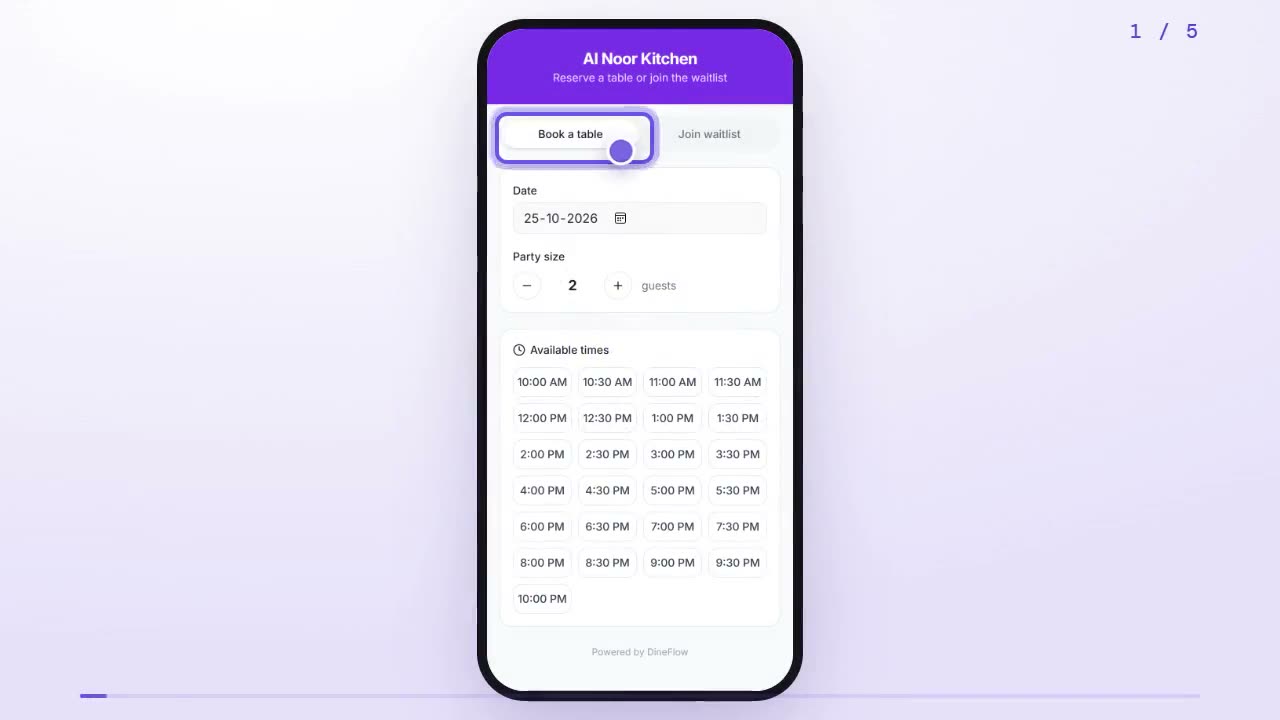
How do I book a table online?
Open the restaurant's booking link, pick a date, party size and an available time, add your name and phone, and tap Confirm. Or use Join waitlist to queue for the next table.
 0:57
0:57Stock & recipes
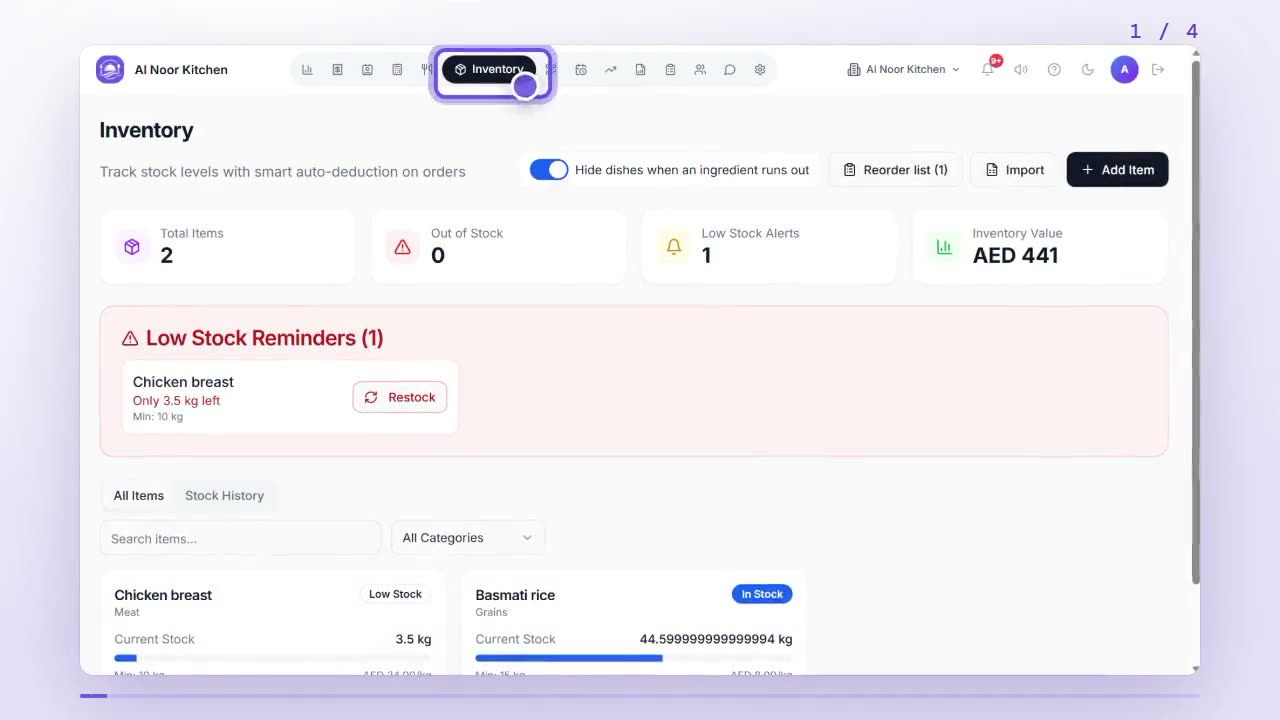
How do I track stock and see what to reorder?
Open Inventory and tap Add Item for each ingredient with its unit, stock and minimum level. Use Restock and Adjust as stock changes; Reorder list shows what to buy.
 0:55
0:55Stock & recipes
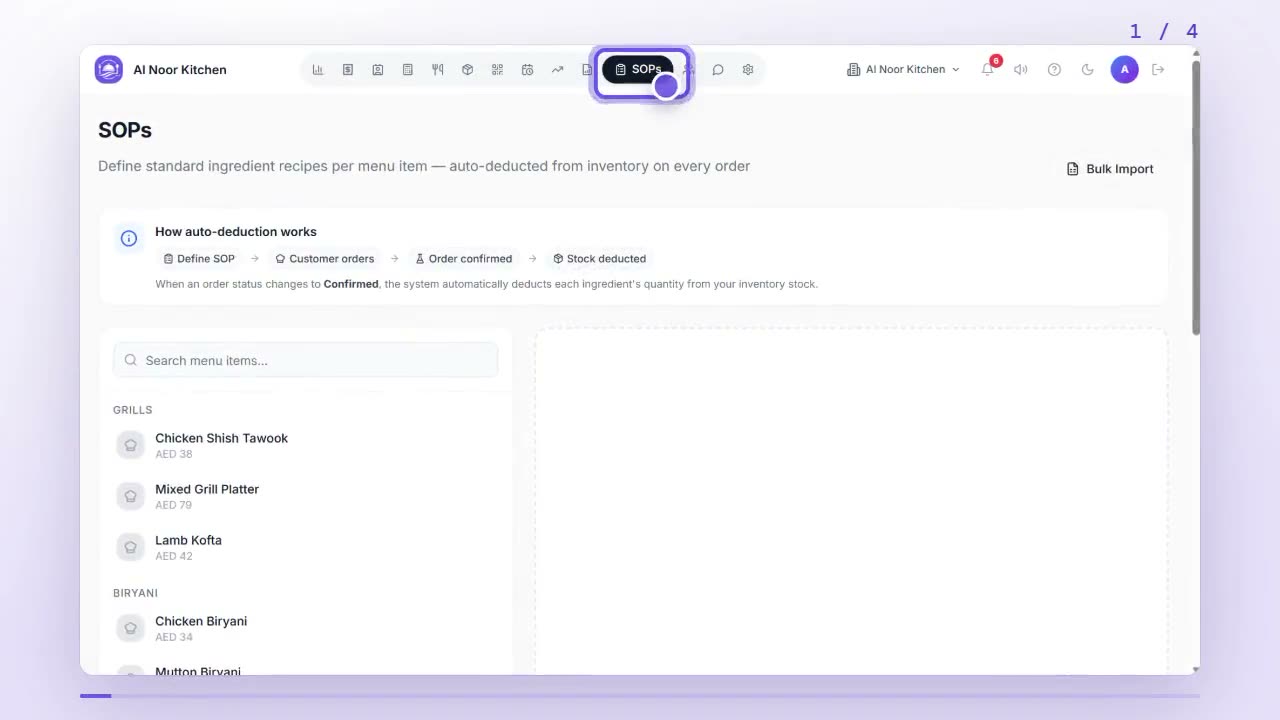
How do I link recipes to my dishes and see their food cost?
In SOPs, pick a dish and add each ingredient with the amount one serving uses. Stock is then deducted with every order, and the Menu shows the dish's food cost.
 0:43
0:43Stock & recipes
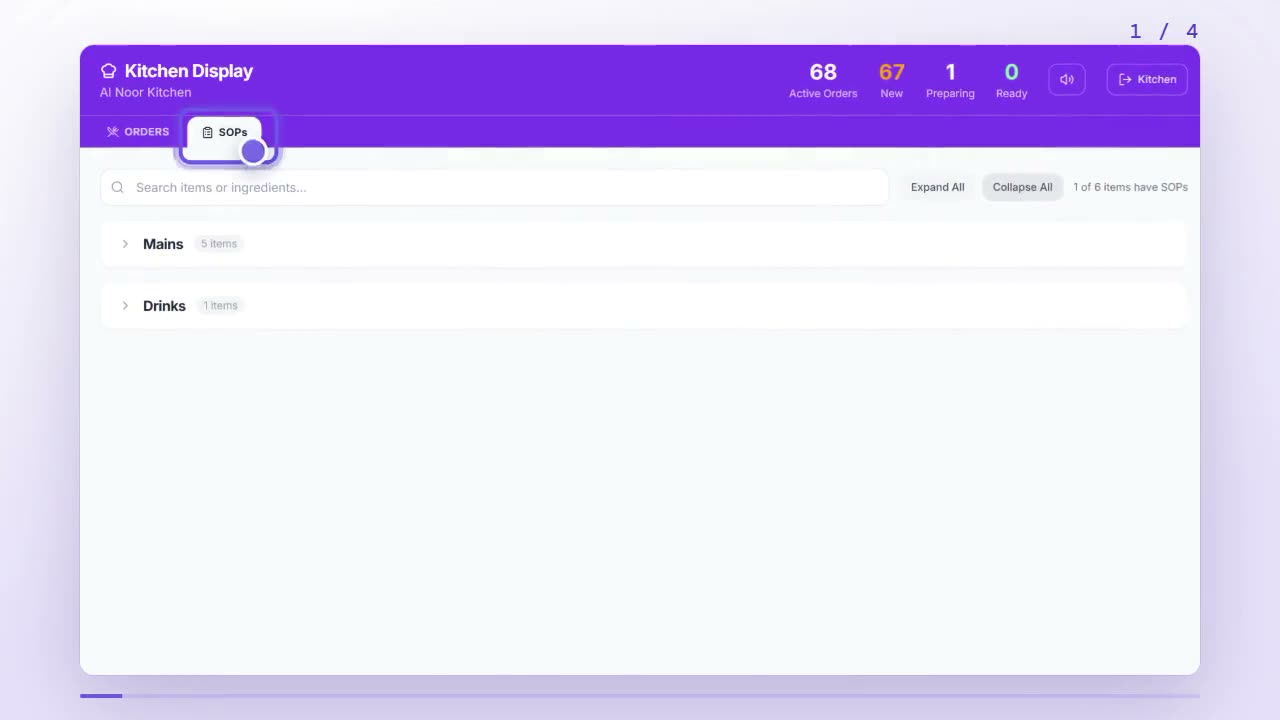
How do I check a dish's recipe on the kitchen screen?
On the kitchen display, tap SOPs, open a category and tap a dish to see each ingredient, the amount per serving and the stock left. Search finds a dish or ingredient.
 1:04
1:04WhatsApp
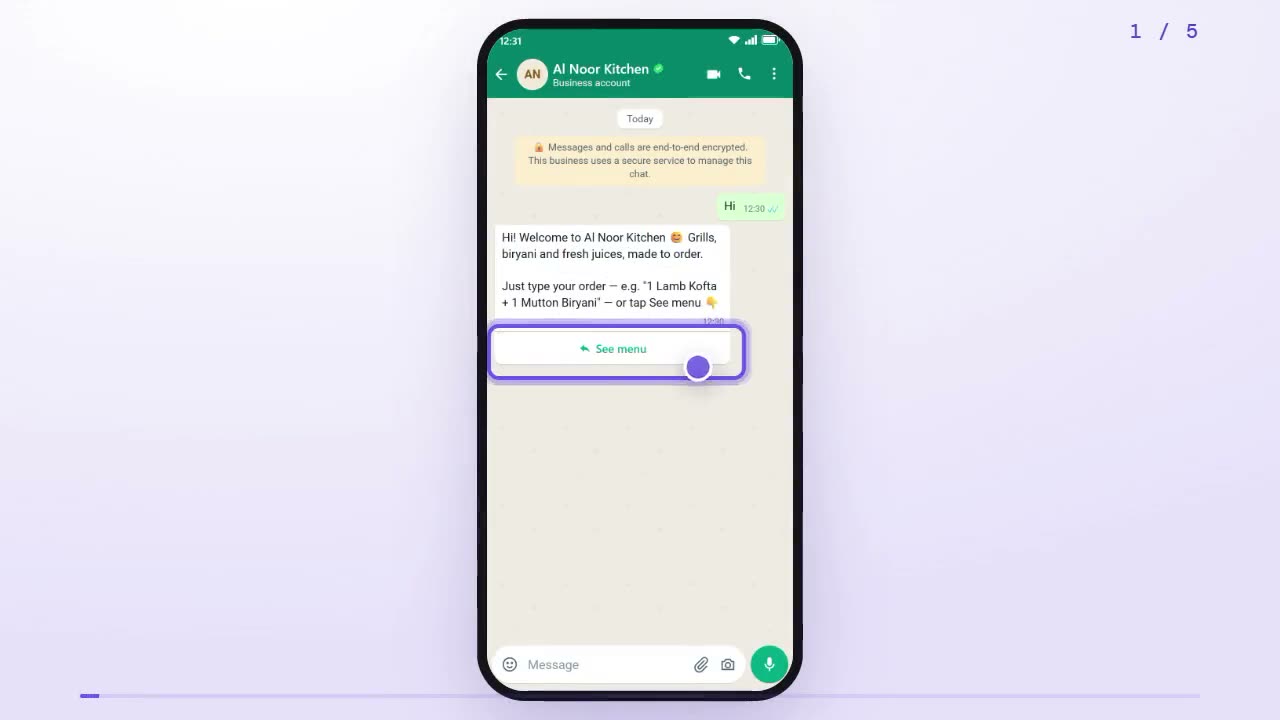
How do I order food on a restaurant's WhatsApp?
Say hi to the restaurant on WhatsApp, tap See menu, pick a category and a dish, choose how many, tap Yes, order and send your address. You get an order number and a tracking link.
 0:59
0:59WhatsApp
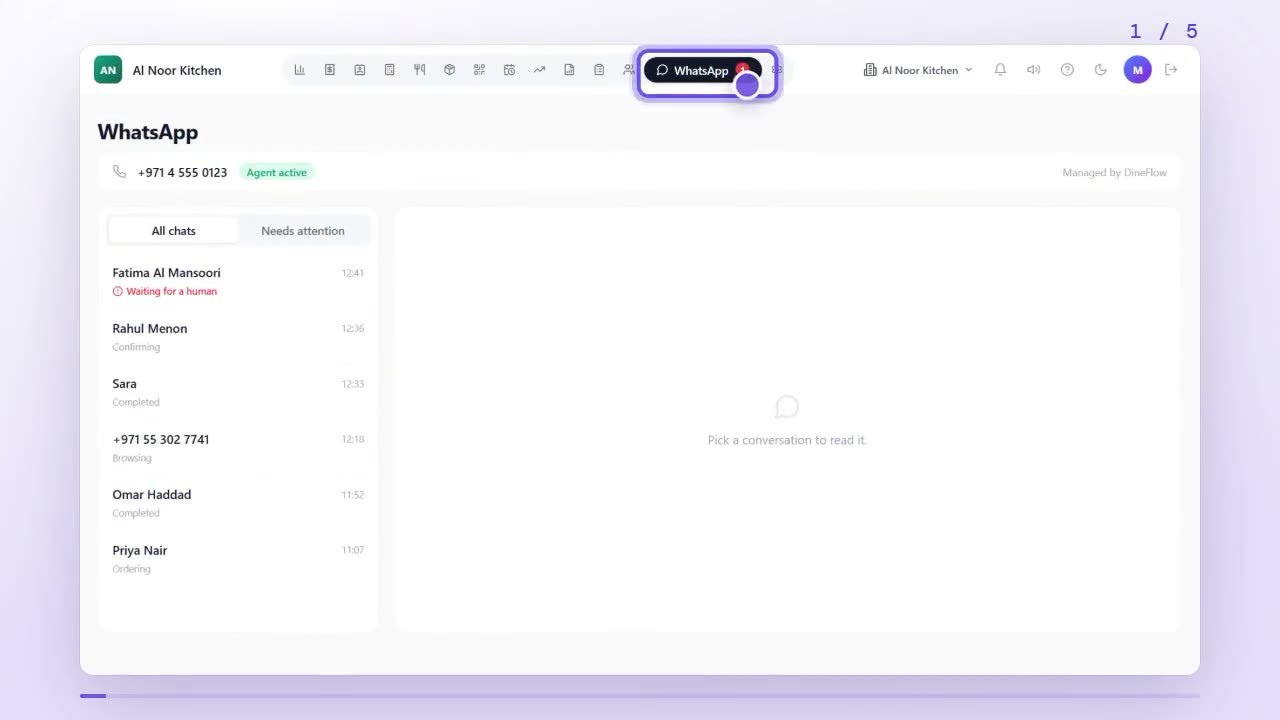
How do I reply to a customer myself in the WhatsApp inbox?
Open the WhatsApp tab; Needs attention lists customers waiting for a person. Open the chat, tap Take over, type your reply, then tap Hand back to AI when you're done.
 0:47
0:47Customers & reports
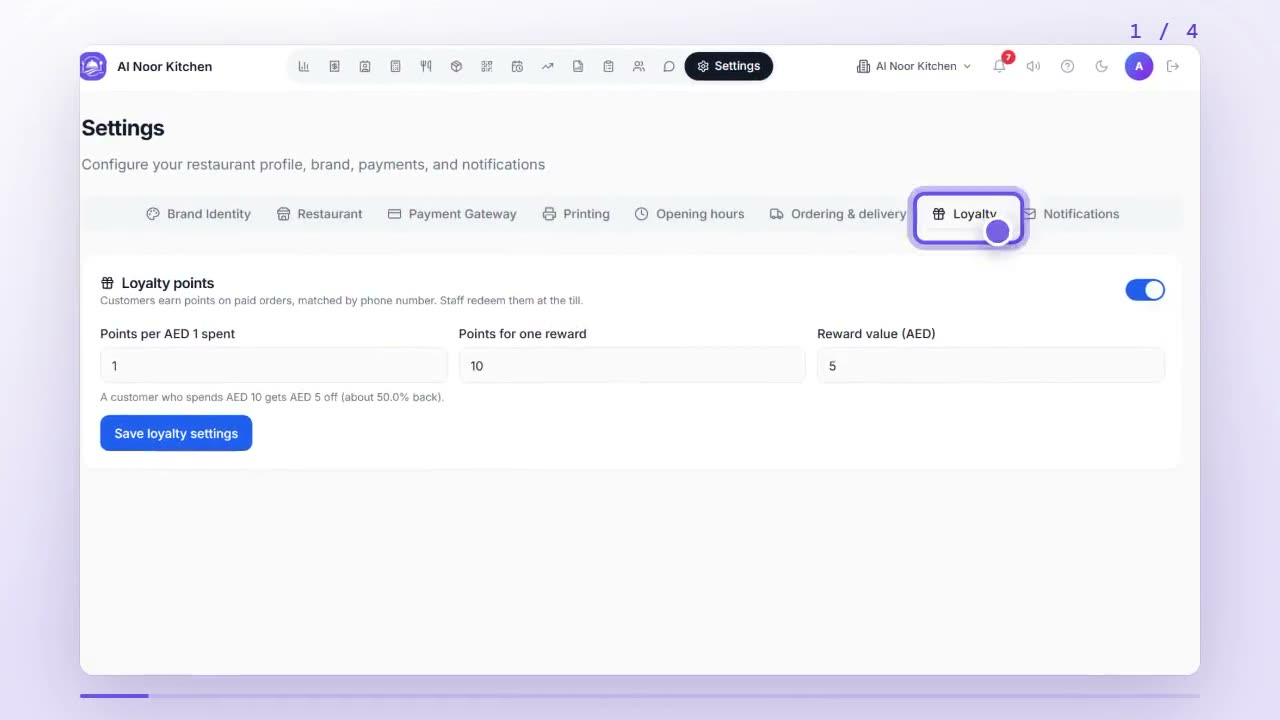
How do I set up loyalty points for my customers?
In Settings, open Loyalty, switch on Loyalty points, set points per spend, points for one reward and its value, then save. Customers earn points by phone number.
 0:55
0:55Customers & reports
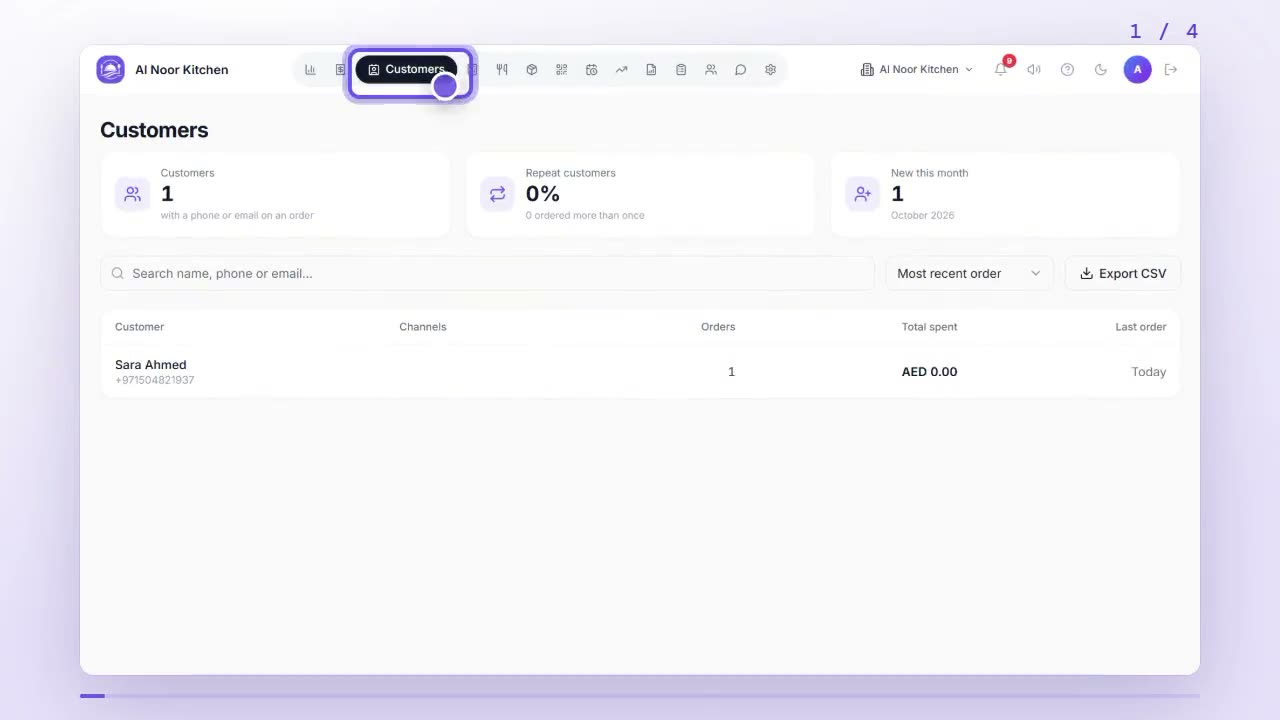
How do I see a customer's order history and add notes?
Open Customers to see everyone who ordered with a phone or email. Search or sort, tap a customer to see their orders and spend, and add notes only your team sees.
 0:53
0:53Customers & reports
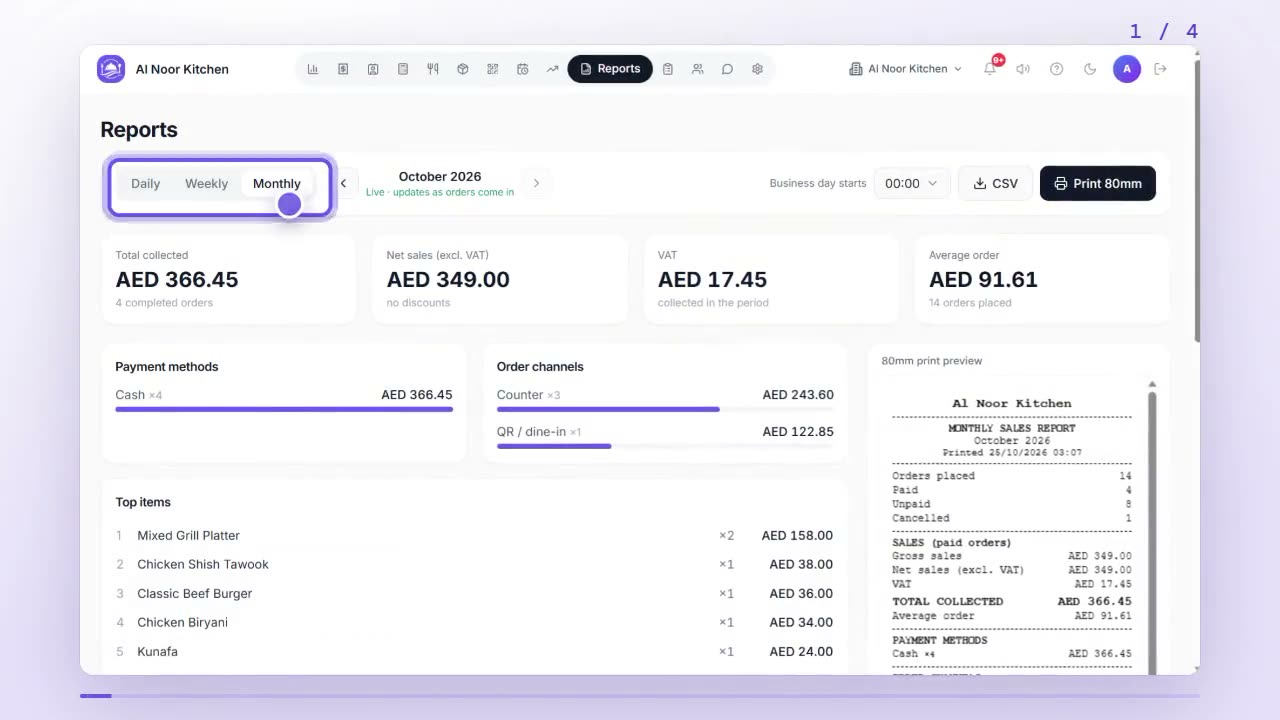
How do I read my daily, weekly and monthly sales reports?
Open Reports and choose Daily, Weekly or Monthly to see total collected, net sales, VAT, payment methods, order channels and top items. Export a CSV or print an 80mm copy.
 0:54
0:54Customers & reports
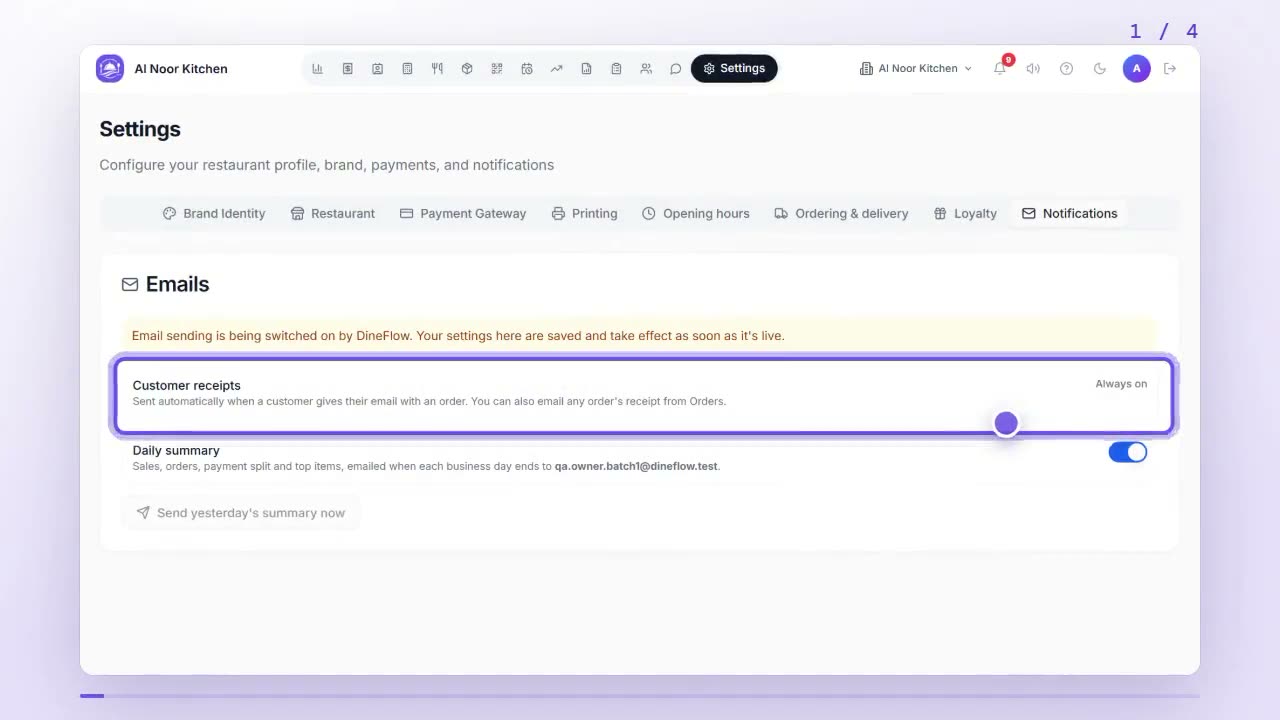
How do I email receipts to my customers?
Receipts go out automatically when a customer gives an email with their order. To send one yourself, open the order in Orders, tap Email receipt, check the address and tap Send.
 1:03
1:03Settings
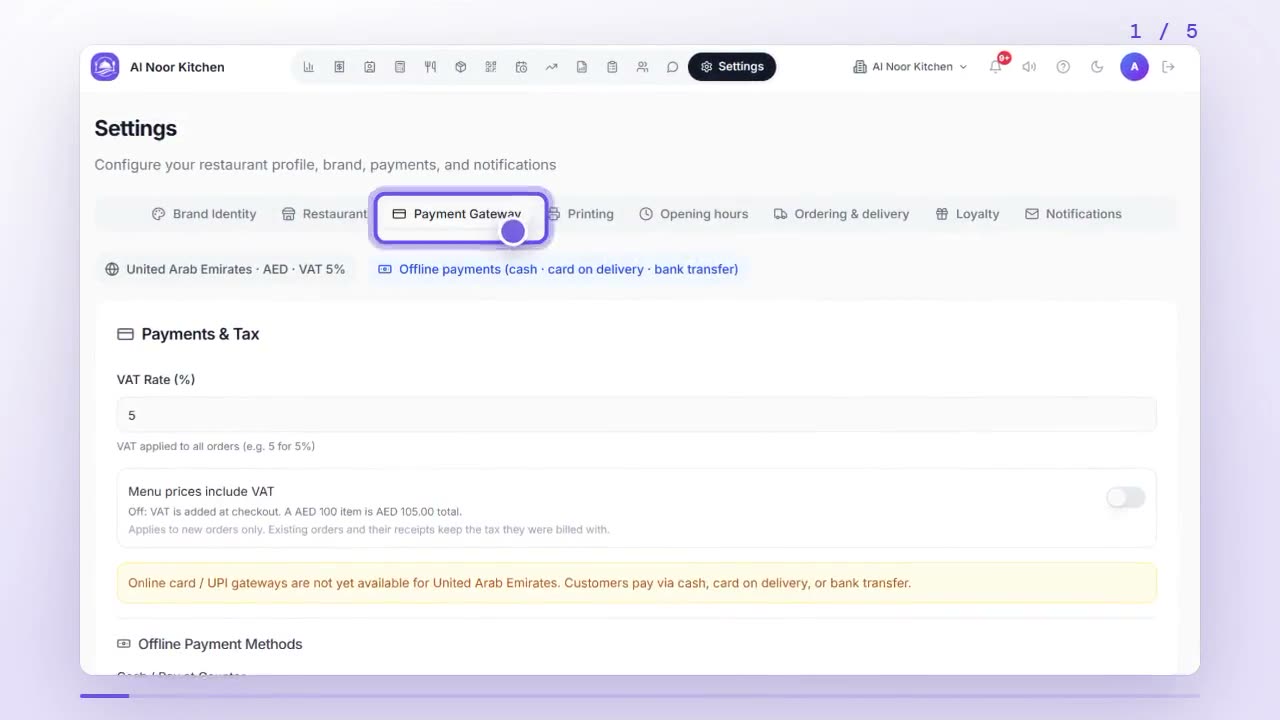
How do I set VAT and choose which payment methods I accept?
In Settings, open Payment Gateway. Set your VAT rate, choose whether menu prices include VAT, switch on the payment methods you accept and save. Your TRN goes under Printing.
 0:57
0:57Settings
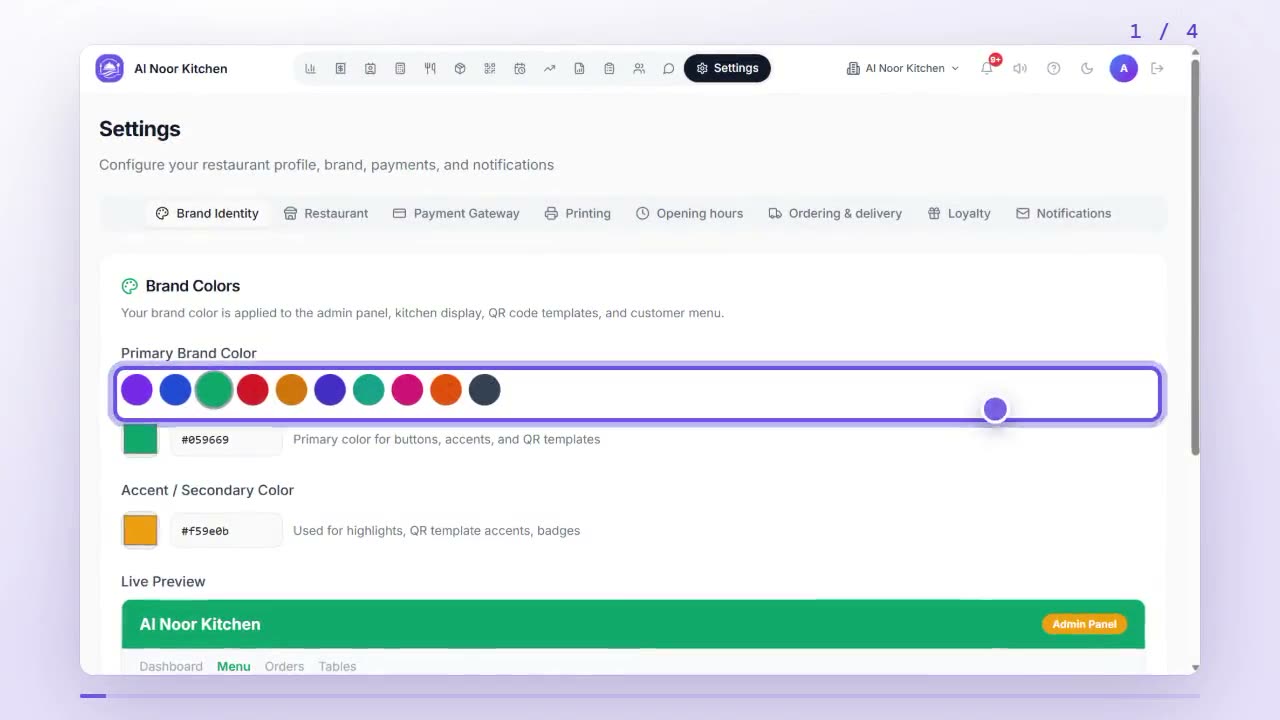
How do I set my brand colours, logo and receipt printing?
In Settings, Brand Identity sets your colours and logo; save them. Printing sets the receipt header and footer, the default print format and whether the logo prints.
— Founding restaurant beta
Run your restaurant on one system
QR menus, WhatsApp AI ordering, kitchen display, counter billing and riders — in AED with 5% VAT. Two months free, setup included.
Start free →